Your expertise is the deliverable. Price it accordingly.
Aeto manages your client engagements, tracks every billable hour, and invoices from that data. Hourly, project-based, or retainer, it handles all three.
30-day free trialNo credit card requiredmacOS 12+Apple Silicon
You’re managing four client engagements in your head, billing from memory, and your invoices don’t reflect what the work actually cost you.
Consultants often work across a mix of engagement types: a retainer here, a fixed-scope project there, an hourly advisory arrangement for a third client. Each bills differently, each has its own deliverables, and keeping the billing accurate across all of them is a constant background task. Aeto handles the structure so you don’t have to.
Aeto closes every gap. One app, one workflow, nothing left unbilled.
01 — project management
One place for every engagement.
Add each client and their active projects to Aeto. Whether it’s a six-month strategy engagement, a monthly advisory retainer, or a one-off workshop, every engagement gets its own project with its own tasks, time log, and invoice history.
02 — time tracking
Track time across every type of work.
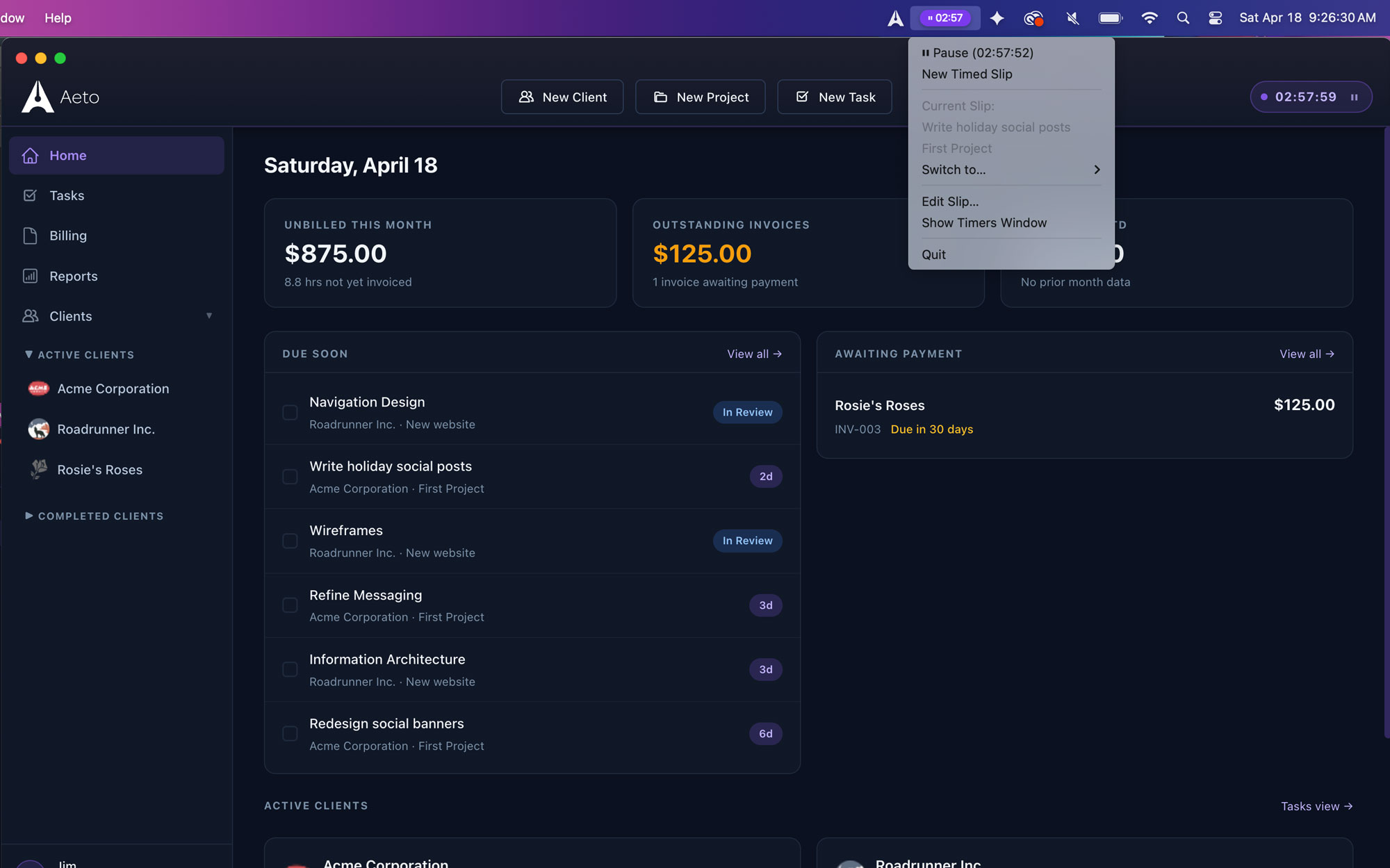
Strategy sessions, prep time, document writing, client calls, follow-ups. Add them as tasks and track time against each one. Using the macOS app, the menu bar timer means you can start tracking the moment a call begins without switching apps.
03 — invoicing
Professional invoices that reflect the work.
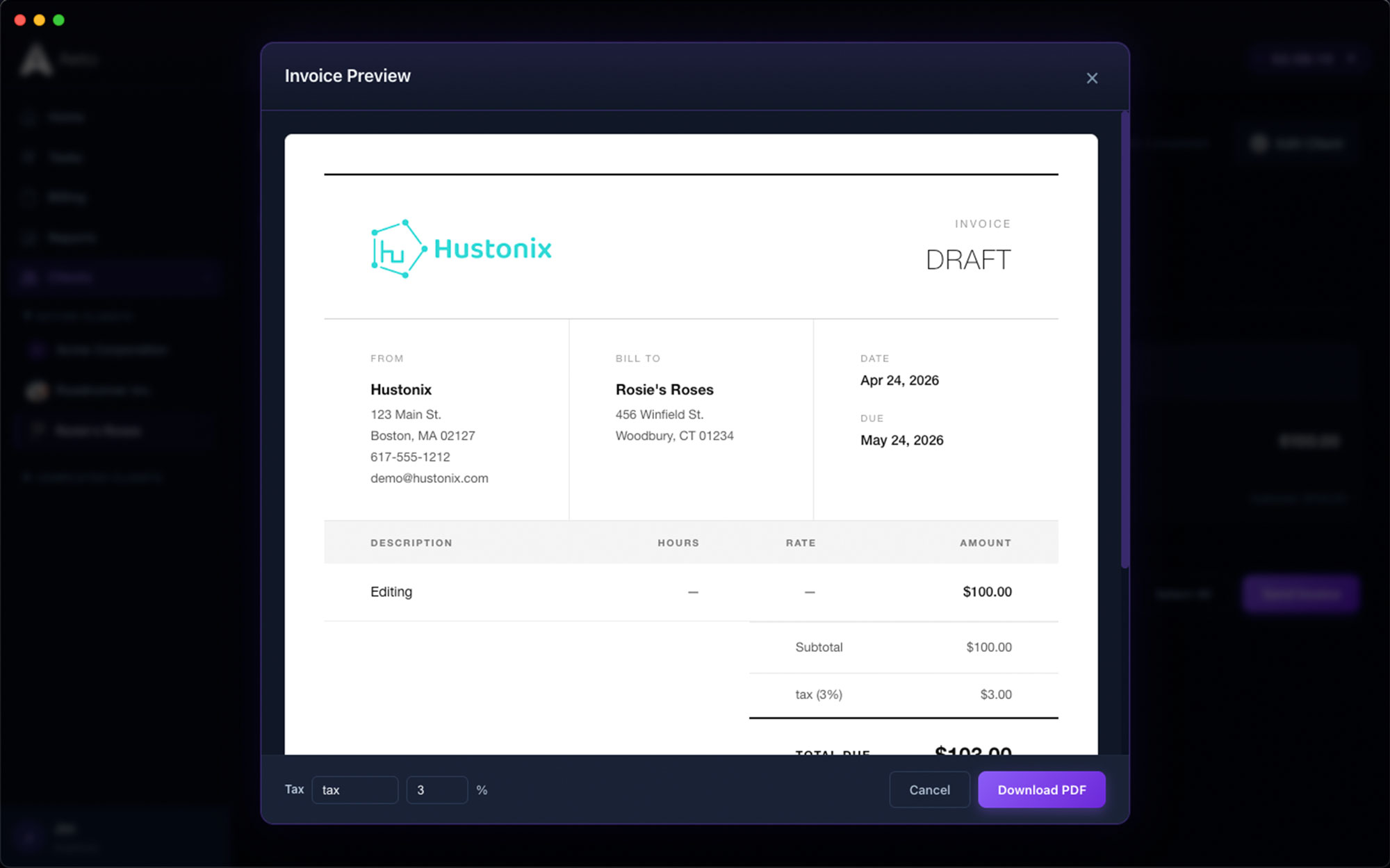
Aeto invoices list your work as itemized line items: workshop facilitation, strategy document, advisory hours. Professional and transparent invoices reinforce the value of the work.
04 — Mac menu bar
Multiple active engagements, no chaos.
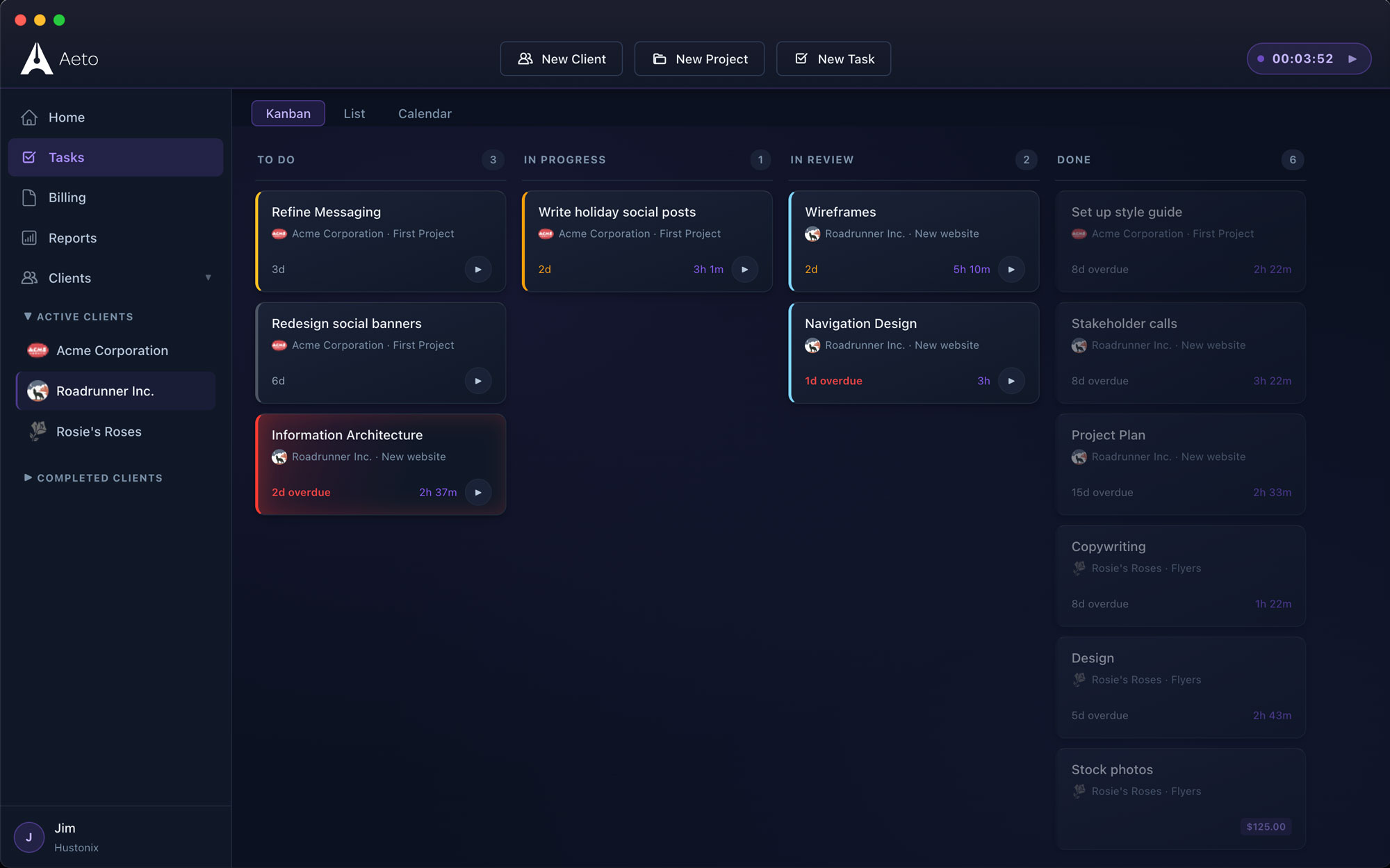
The Kanban board and dashboard give you a clean view of every active engagement across all clients. See what’s in progress, what’s due, and what’s waiting on a client response without maintaining a separate project tracker.
• THE FIX
Aeto is built for consultants who bill for their time. One app, one workflow, nothing left unbilled.
One app. Every part of the job.
Scroll through a few screens of Aeto. Each view is built for a specific beat of the consultant workday.
Kanban board
Every task, every client, on one board.
Drag between To Do, In Progress, In Review, and Done. Status flows straight through to invoicing.
Time tracking
Start the timer. Everything else follows.
One click from the menu bar starts tracking against the exact task you’re working on. No window switching, no lost context.
Invoicing
From tracked time to a sent invoice in seconds.
Select the hours, review the line items, send. No manual entry, no spreadsheet math. You can even adjust the tax at this stage.
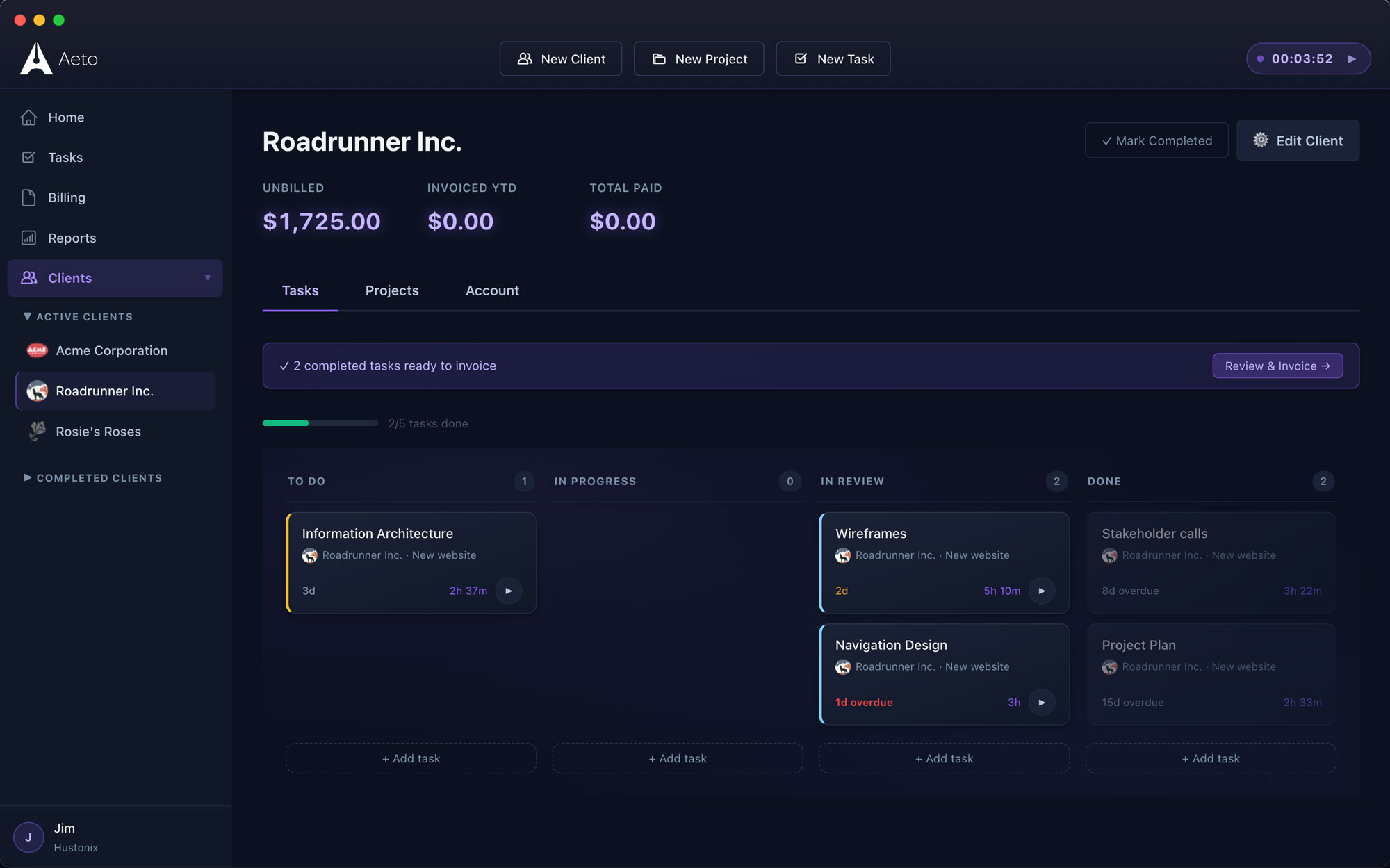
Clients
See what’s on tap for each client, individually.
A separate Kanban board, plus see what’s outstanding and what they’ve paid over the lifetime of the relationship
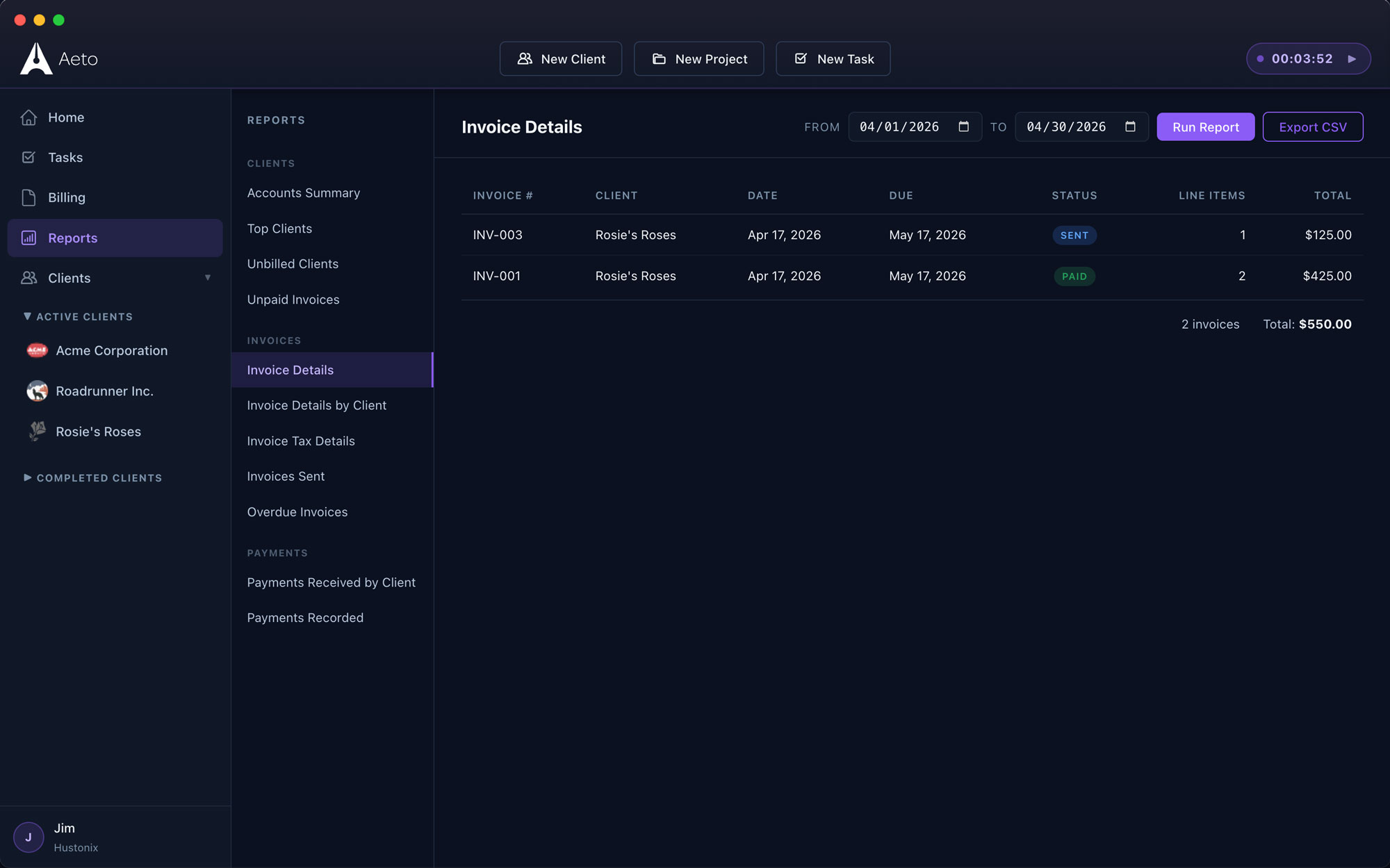
Reports
The state of your business in under a minute.
Revenue, outstanding invoices, active projects, payments received. Everything you need to know about where your business stands. Export to CSV when your accountant comes calling.
Answers to the
questions we get most.
Everything you’re likely to ask before you download the trial.
Yes. Aeto is built for consultants who manage multiple client engagements with different billing arrangements: hourly, fixed-fee, and retainer. It tracks time at the task level and generates professional invoices from that data.
Yes. Each client gets their own projects in Aeto, and each project has its own task list, time log, and invoice history. The dashboard gives you a view across all active engagements so nothing falls through the cracks.
Yes. Fixed-scope projects in Aeto invoice at the agreed amount while tracking internal hours separately. Over time you build a clear picture of your effective rate on different engagement types, which sharpens your future pricing.
Yes. The Aeto menu bar timer starts from one click in your Mac menu bar. No app switching, no window hunting. Start it when the call begins, stop it when it ends, and it logs automatically to the right task and project.
Not yet. Aeto is web- and macOS-first. An iOS companion app is on the roadmap. Windows isn’t planned at this point.