Everything you need to manage your freelance business. Connected.
Managing freelance work means juggling clients, deadlines, tasks, hours, and invoices.
The challenge isn't any one of those things. It's keeping them connected.
Aeto brings the work together, from the first task you create to the final payment you record.
One app. Every part of the job.
A few screens of Aeto. Each view is built for a specific beat of your workday.
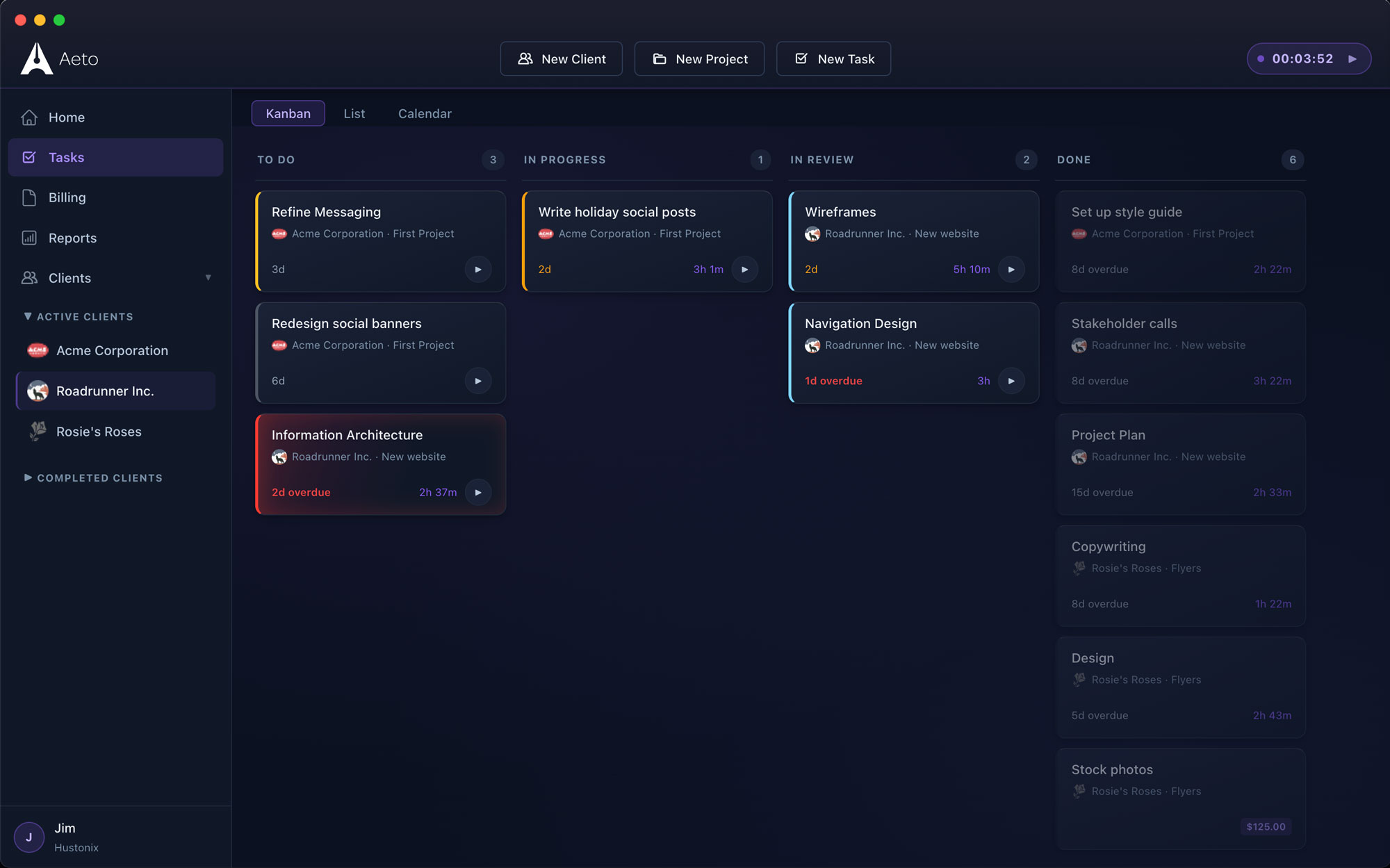
Every task, every client, on one board.
Drag between To Do, In Progress, In Review, and Done. Status flows straight through to invoicing.
Know what needs to get done. And for whom.
When you're balancing several clients, it's easy to lose track of what needs attention.
Aeto organizes your work by client, project, and task. Use the Kanban board to see what's waiting, what's in progress, what's under review, and what's finished.
Switch to the calendar when you need to plan around deadlines, or use the task list when you just want to see what needs doing.
Every task stays associated with the right project and client, so the details are there when you need them.
Track the actual work, not just the hours.
Six hours logged against a project doesn't tell you much.
What did you work on? How much time went into revisions? How long did the client presentation take?
Aeto tracks time against individual tasks. Every entry is associated with a project and client, giving you a useful record of the work instead of a collection of disconnected hours.
Start a timer while you work, or add time manually if you forgot to start one.
When it's time to invoice, your entries already have the context you need.
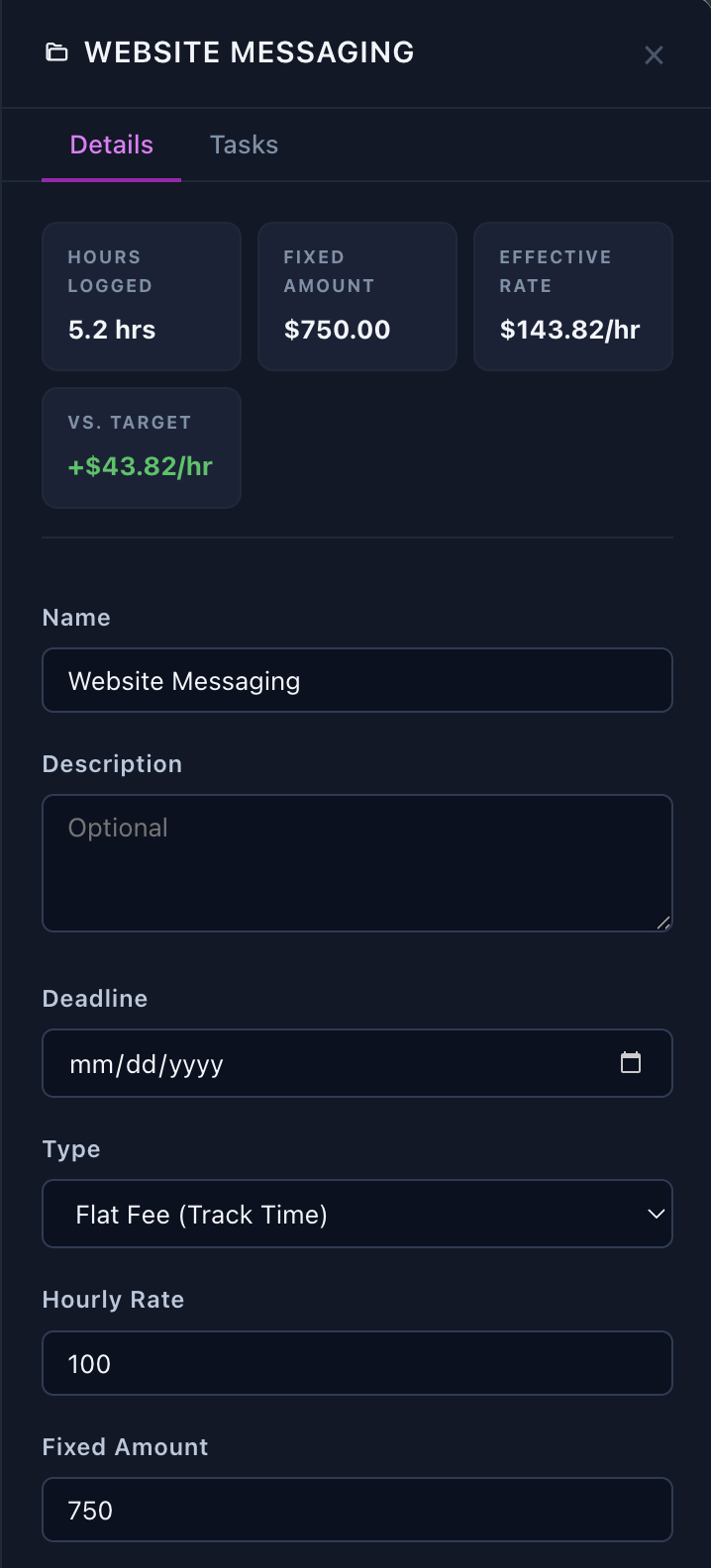
Know what you're really earning.
A $3,000 project sounds great. Until you realize you spent 60 hours on it.
Aeto calculates your effective hourly rate for fixed-fee projects based on the time you actually spend working.
If that $3,000 project takes 20 hours, you're earning $150 an hour. If it takes 40 hours, that drops to $75.
As you track time against tasks, you can see how your effective rate changes.
It's a simple way to understand whether a project was worth your time and make better decisions when pricing the next one.
No spreadsheets. No end-of-project math.
See what's due. Including your money.
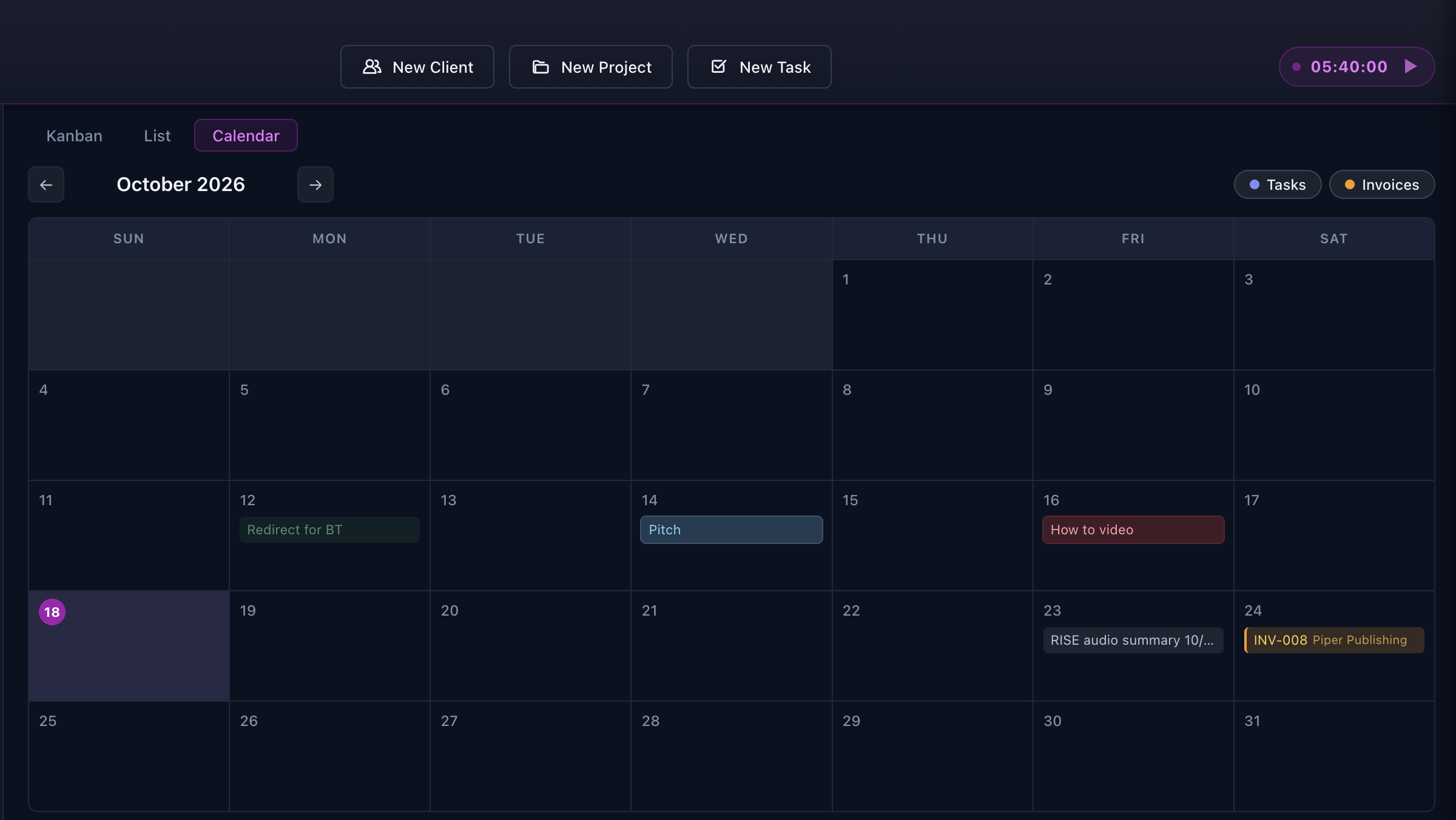
Freelancers have two kinds of deadlines: the work they owe clients and the payments clients owe them.
Aeto puts both on the same calendar.
See when tasks are due, when client payments are expected, and which payments are overdue.
Instead of switching between project management software, invoices, and your calendar, you can see everything that's coming up in one place.
Plan your workload, keep track of expected payments, and spot overdue invoices before they disappear into the shuffle.
The timer is one click away.
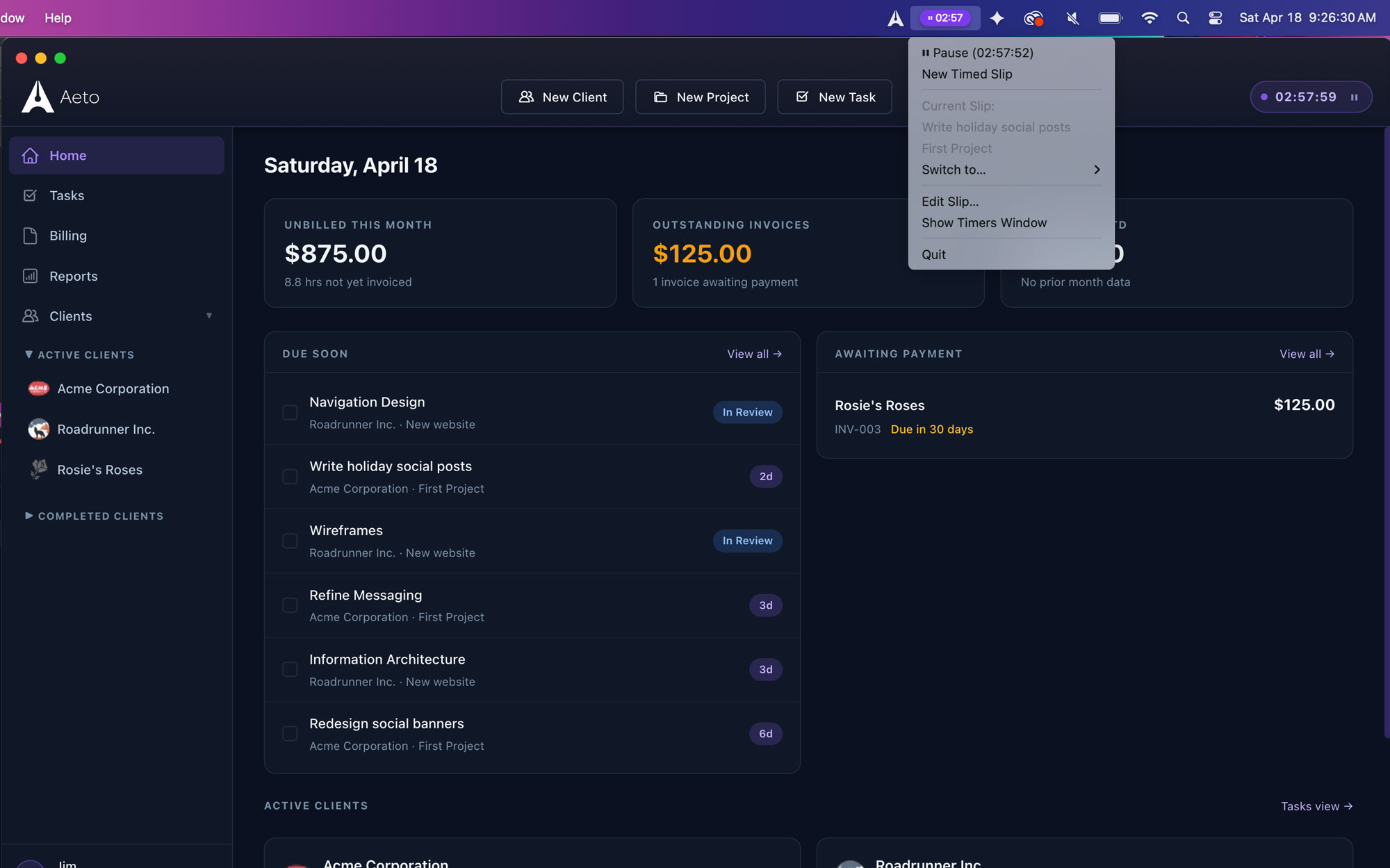
You shouldn't have to interrupt your work to record it.
Aeto's Mac menu bar timer stays available while you're working in Figma, Adobe Creative Cloud, VS Code, or any other application.
Select your task, start the timer, and get back to what you were doing.
Prefer working in a browser? The Chrome Extension gives you quick access to the same task-based tracking.
Your time entries stay connected to your projects.
Your invoice shouldn't require a second round of work.
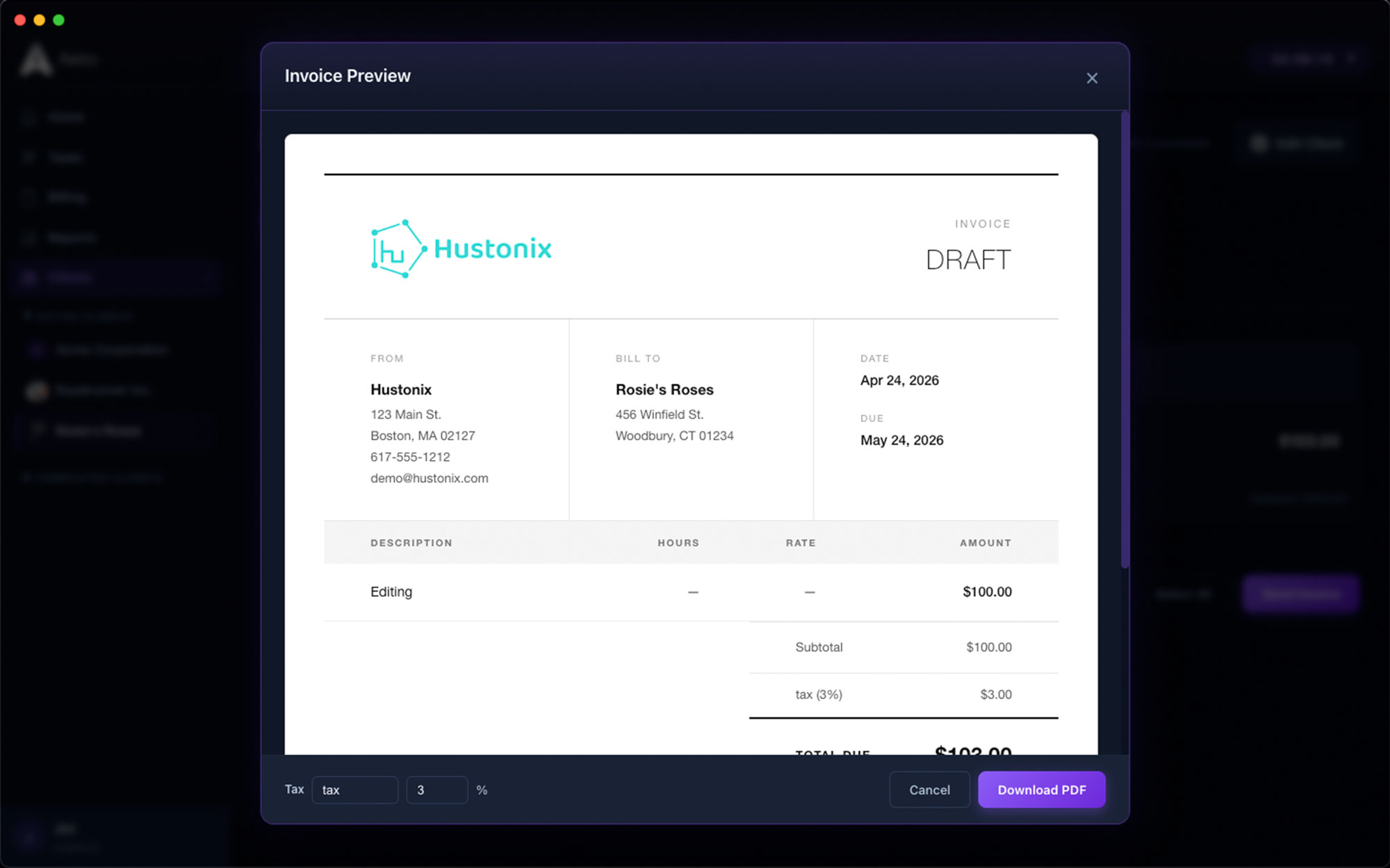
You've already done the work. You shouldn't have to reconstruct it to get paid.
For hourly projects, Aeto uses your unbilled time entries to prepare an invoice. The tasks, hours, and rates are already there.
Review the details, make any necessary adjustments, and send.
No copying from a separate time tracker. No trying to remember what happened two Tuesdays ago.
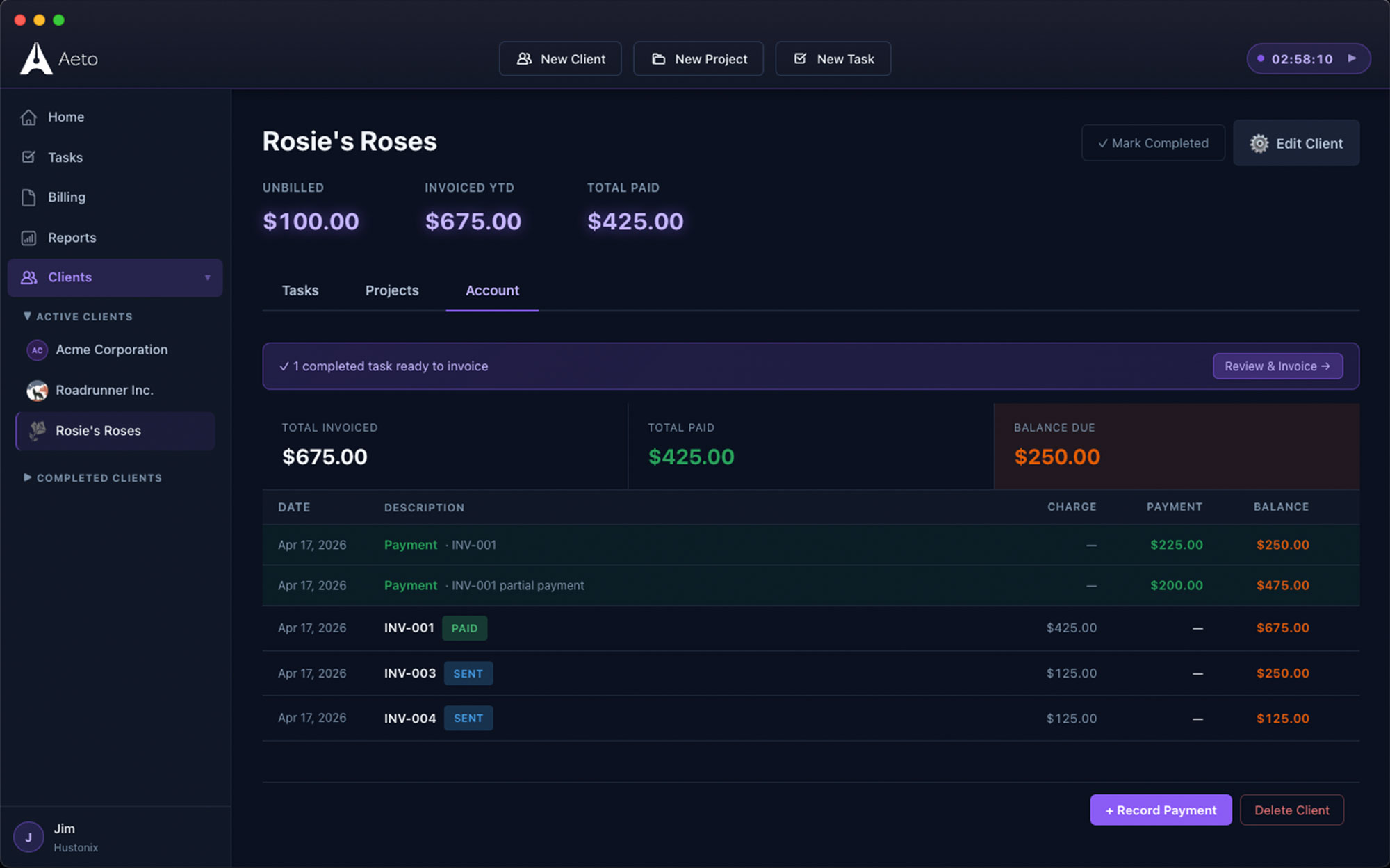
Keep the client relationship organized, too.
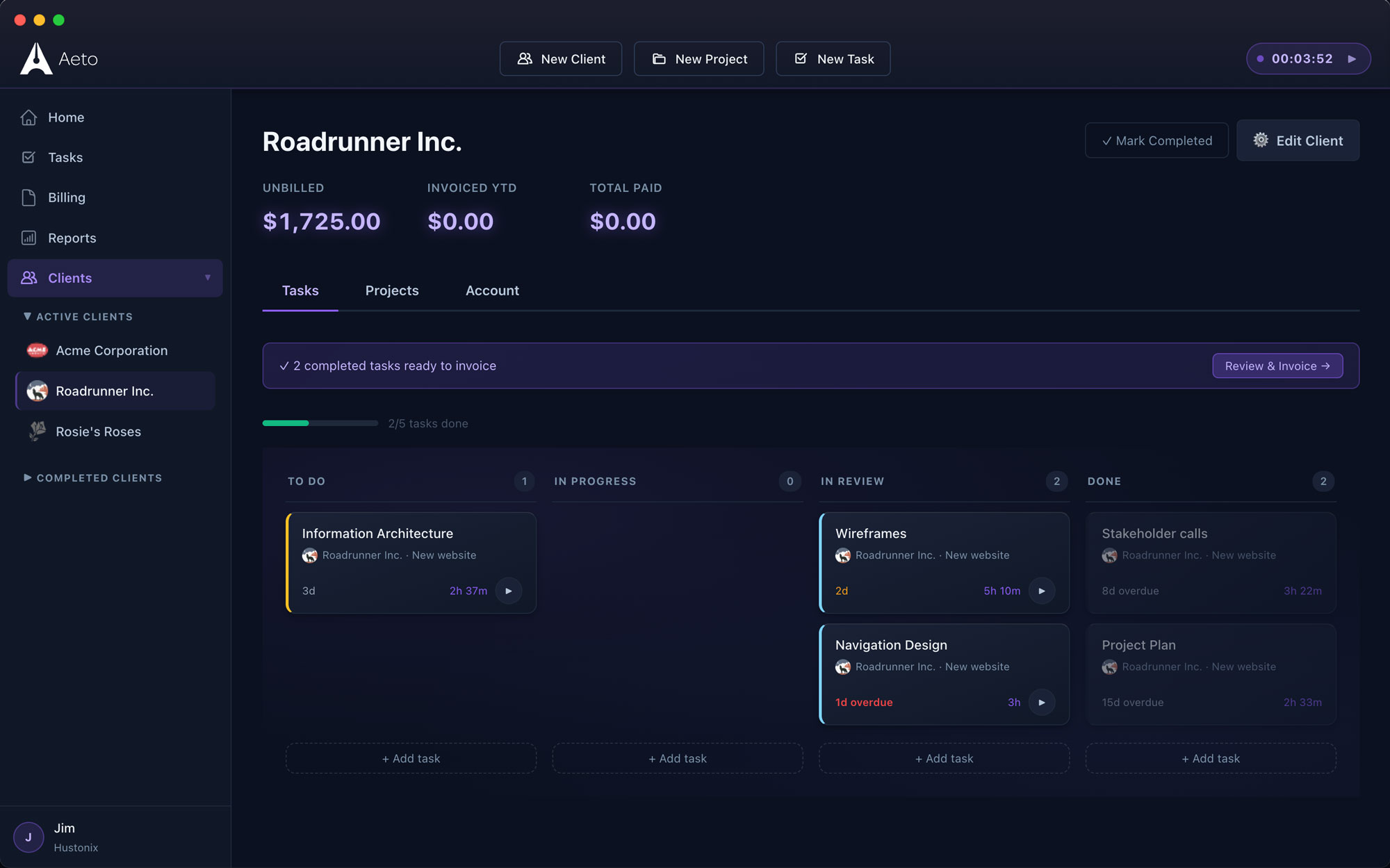
Every client has their own projects, deadlines, work history, and invoices.
Aeto keeps that information together so you can see what you're working on, what's been billed, and what you're still waiting to collect.
The payments ledger gives you a clear view of paid, partially paid, and outstanding invoices across your business.
Spend less time checking spreadsheets and more time working with clients.
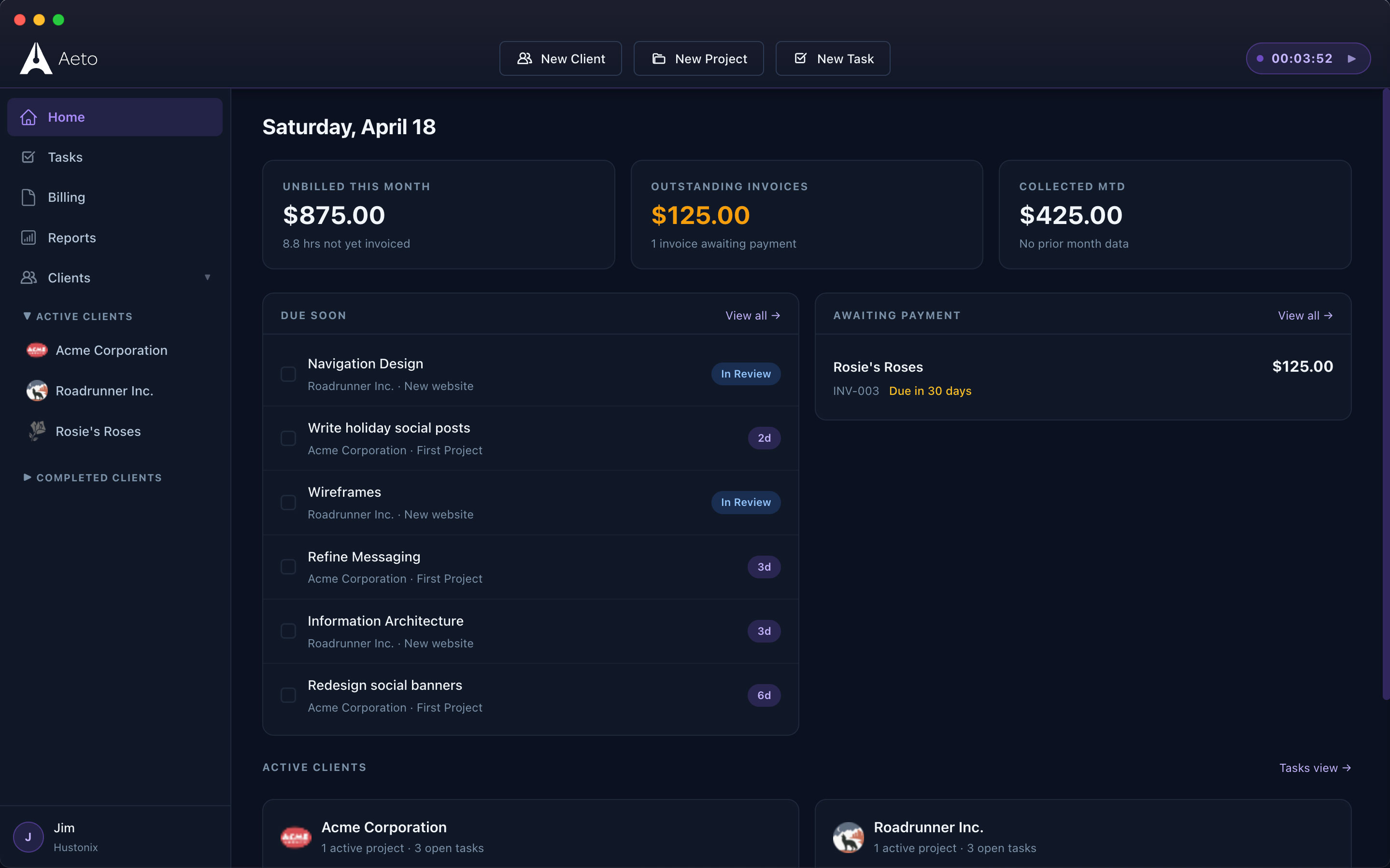
Know how your business is doing without another spreadsheet.
Being busy and making money aren't always the same thing.
Aeto's dashboard puts your active projects, recent time entries, upcoming deadlines, and financial information in one view.
See what's been collected, what's outstanding, and what still needs attention.
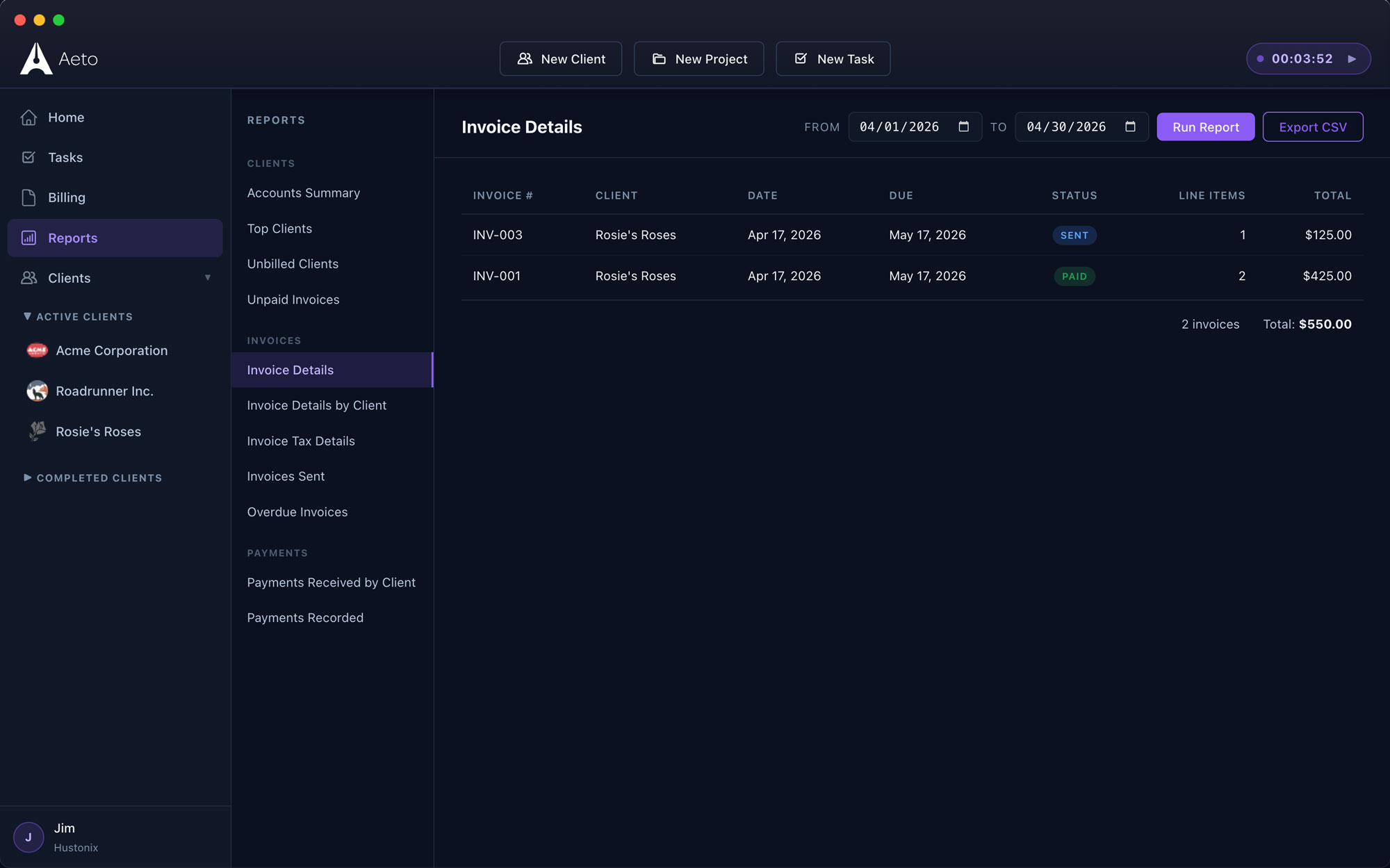
For a closer look at your numbers, use Aeto's reporting tools and export data to CSV.
On your Mac. In your browser. Wherever work happens.
Mac Desktop App
Work directly on your Mac with a native application and convenient menu bar timer.
Web App
Manage projects, track time, and send invoices through your browser.
Chrome Extension
Start and stop task timers directly from your browser toolbar.
All three connect to the same projects, tasks, and time records.
Questions about Aeto's features
Q.01Can I manage several clients at once?
Yes. Aeto supports unlimited clients and projects. Each project belongs to a client, and you can view work across clients using the Kanban board, task list, or calendar.
Q.02Does Aeto support fixed-fee projects?
Yes. You can create hourly, fixed-fee, or unbilled projects. For fixed-fee work, Aeto tracks your internal hours and calculates your effective hourly rate.
Q.03Can I see overdue payments in the calendar?
Yes. Aeto's calendar displays task deadlines and payment due dates, including payments that are overdue.
Q.04Can I add time if I forgot to start the timer?
Yes. Add a manual time entry and associate it with the appropriate task.
Q.05Is Aeto designed for teams?
Aeto is built for independent freelancers rather than teams. It focuses on helping one person manage multiple clients, projects, and invoices without unnecessary complexity.
Less administration. More time for the work.
Projects, tasks, time tracking, and invoices are connected in Aeto.
Try it with your own clients and see how much easier managing freelance work can be.
No credit card required.