Keep every freelance project moving. And know exactly what it's worth.
A project is more than a deadline and a list of tasks.
It's research, meetings, revisions, unexpected requests, and dozens of small decisions along the way.
Aeto helps you organize that work, track the time it takes, and understand what each project is really worth.
Every project starts with a client.
Aeto organizes work around the way freelancers actually operate.
Create a client, add a project, and break the work into manageable tasks.
Take a brand identity project, for example. Your task list might include:
- Discovery and research
- Initial concepts
- Client presentation
- Revision rounds
- Final artwork and delivery
Each task has its own place in the project. As you work, you can record the time spent on each one.
When the project ends, you have more than a list of completed tasks. You have a record of what it took to complete the work.
See what's moving. And what's getting stuck.
Your task list shouldn't require detective work.
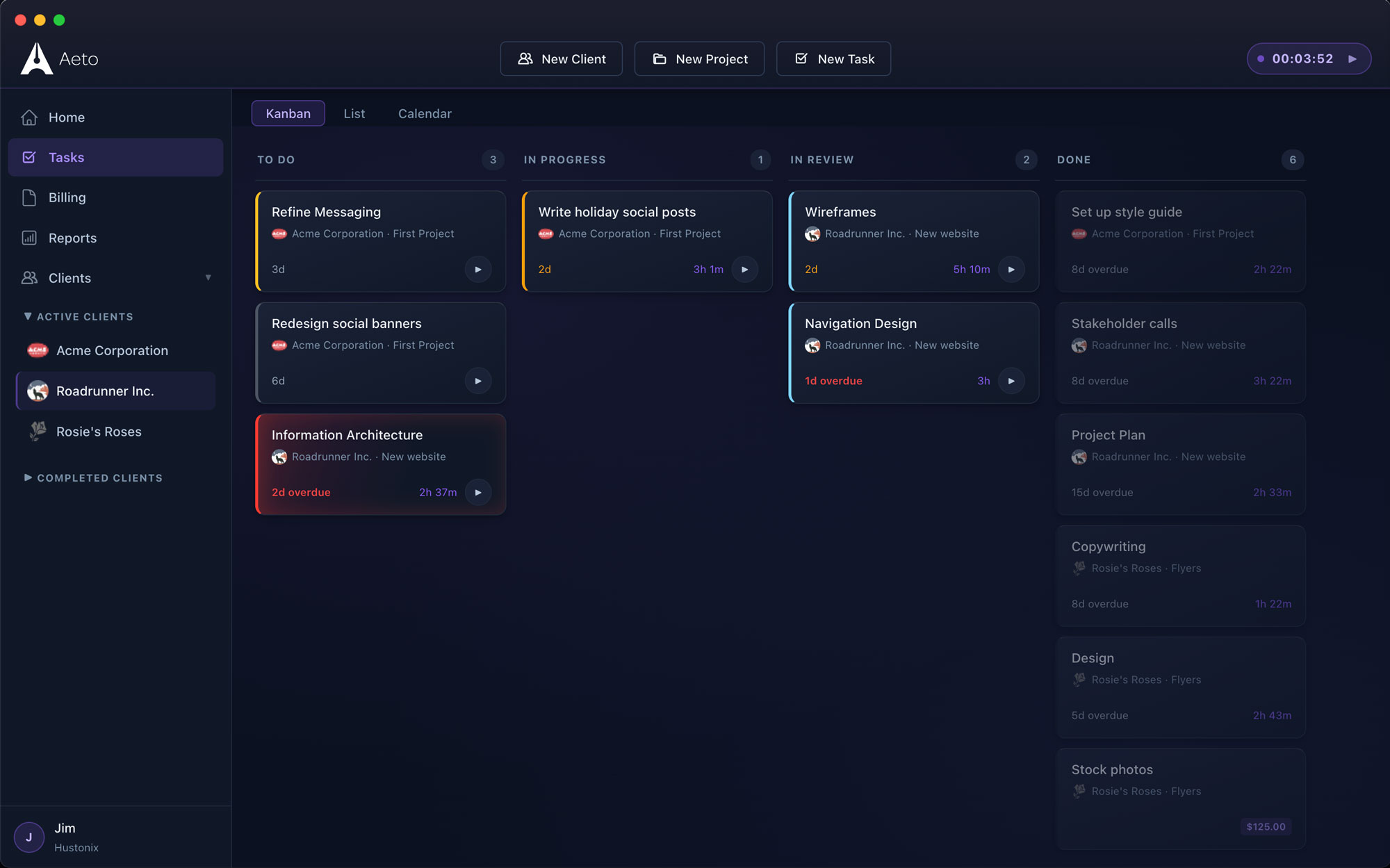
Aeto's Kanban board organizes tasks into four stages:
- To Do: Work that's ready to begin.
- In Progress: Tasks you're actively working on.
- In Review: Work awaiting feedback or approval.
- Done: Completed tasks.
Move tasks between columns as their status changes.
The board displays work across your clients and projects, giving you a clear picture of what's happening without opening every project individually.
When deadlines are approaching, you can quickly see what still needs attention.
A completed task tells you what you did. Tracked time tells you what it took.
Consider two similar website projects.
Both involved research, wireframes, page design, revisions, and final delivery.
One took 20 hours. The other took 35.
Without knowing where those additional hours went, it's difficult to understand the difference or price the next project accurately.
Aeto connects time tracking to individual tasks, so you can see how long each part of the project took.
Instead of knowing only that a project took 35 hours, you can see how those hours were spent.
That information becomes useful when reviewing your pricing, estimating future work, and explaining billable time to clients.
Not every project is billed the same way.
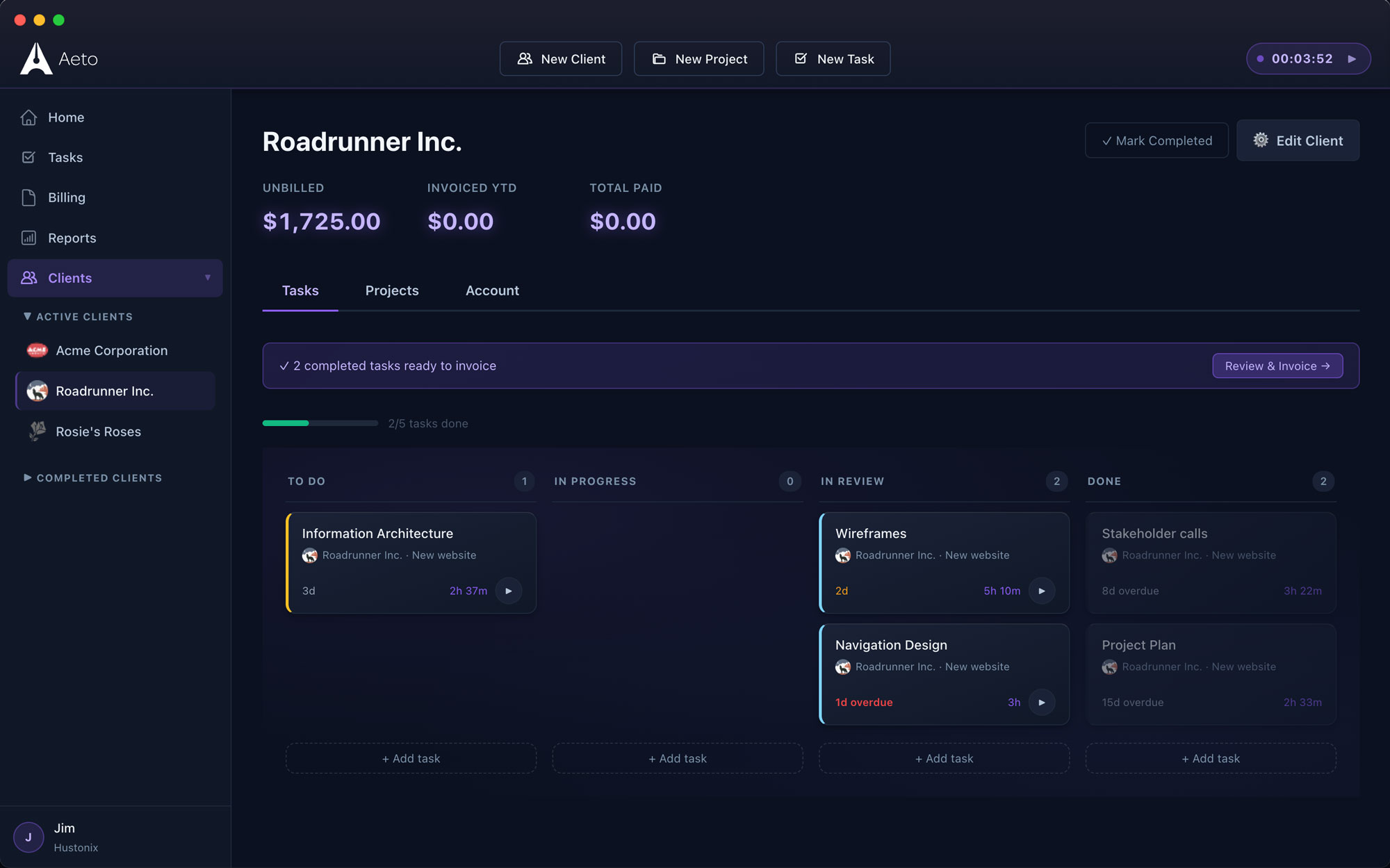
Aeto supports three types of projects because freelance work rarely fits one billing model.
Hourly Projects
Track time against individual tasks and bill clients for the work completed.
A website project might include separate entries for research, design, development, revisions, and meetings.
When you're ready to invoice, Aeto uses the unbilled time entries to prepare the invoice.
Fixed-Fee Projects
Agreed to design a brand identity for $3,000?
You still need to know how much time the project takes.
Aeto tracks hours on fixed-fee projects and calculates your effective hourly rate.
If the project takes 20 hours, you earned $150 per hour. If it takes 40, that drops to $75.
This isn't a measure of net profit, but it tells you something important about the value of your time.
Use that information to evaluate the engagement and make better pricing decisions next time.
Unbilled Projects
Not every hour is client work.
Business development, administration, internal projects, and other nonbillable activities still consume time.
Aeto lets you track that work without generating an invoice.
You get a more complete picture of where your working hours go.
Your deadlines and payment dates. All in one place.
Keeping projects on schedule is one challenge. Keeping track of when clients owe you money is another.
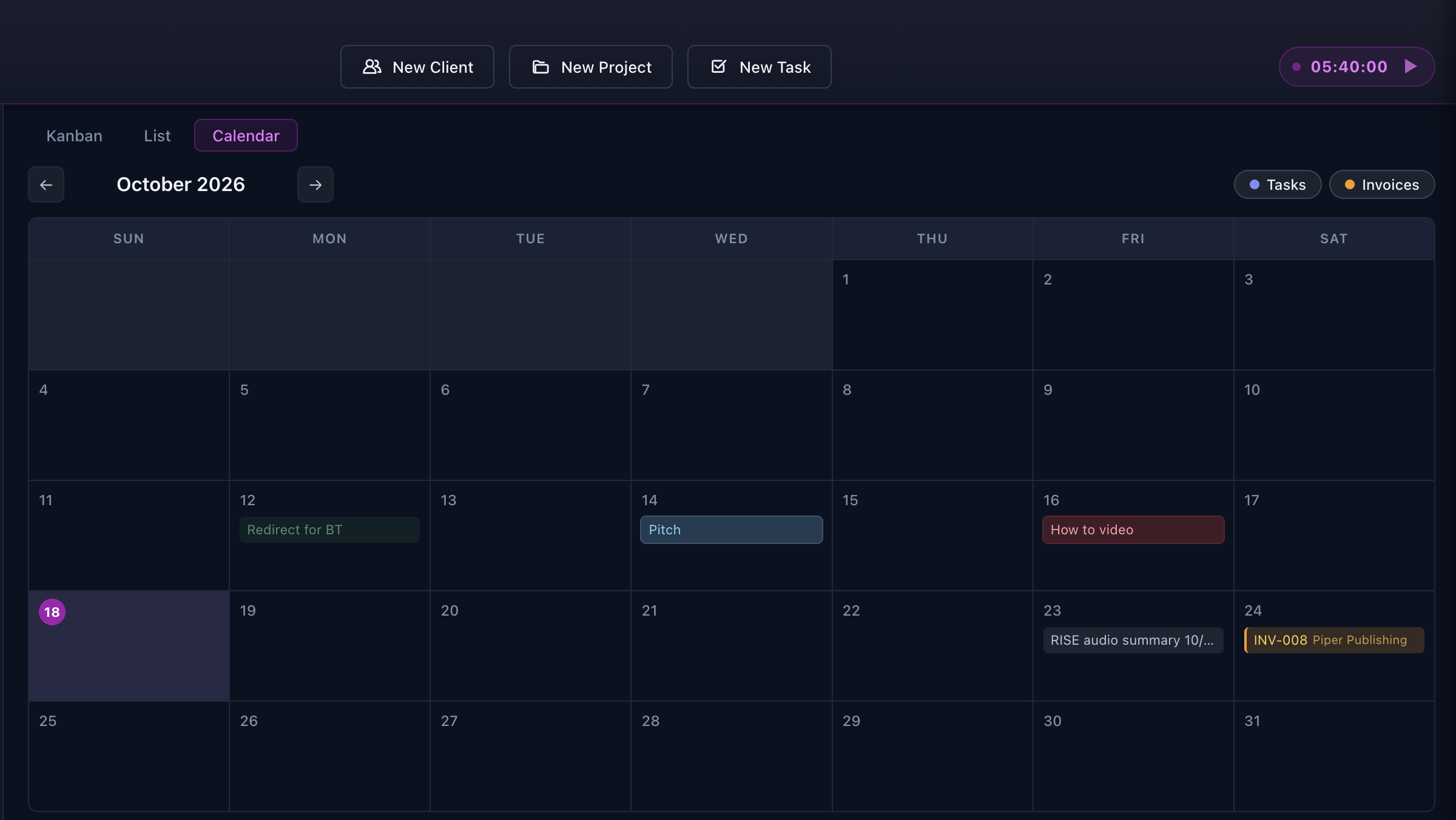
Aeto's calendar gives you a single view of both.
See upcoming task deadlines alongside expected payment dates. Overdue payments are visible, too, so you can identify invoices that need attention.
Instead of relying on separate calendars and lists, you can see what's coming due across your freelance business.
It's a more complete picture than a traditional project calendar.
Before you take on another project, see what's already on your plate.
It's tempting to say yes when a new client calls.
But how much work have you already committed to? What deadlines are approaching? How much time have you logged this week?
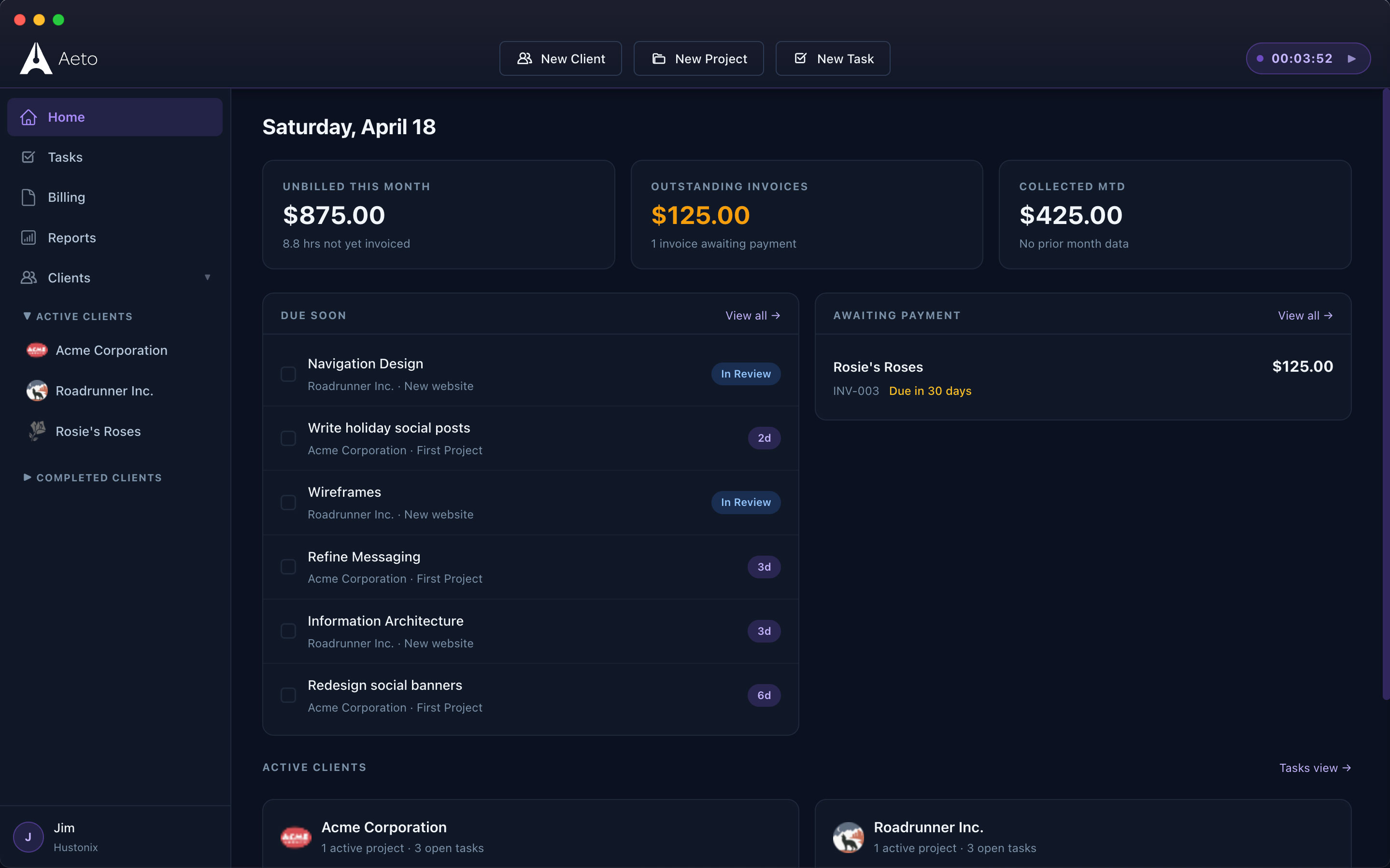
Aeto's dashboard brings that information together.
See active projects, recent activity, logged hours, and upcoming deadlines without reviewing every client individually.
It's a practical way to understand your workload before making another commitment.
Your project history becomes your billing history.
Traditional project management tools are designed to organize work.
Aeto is designed to organize work and account for the time behind it.
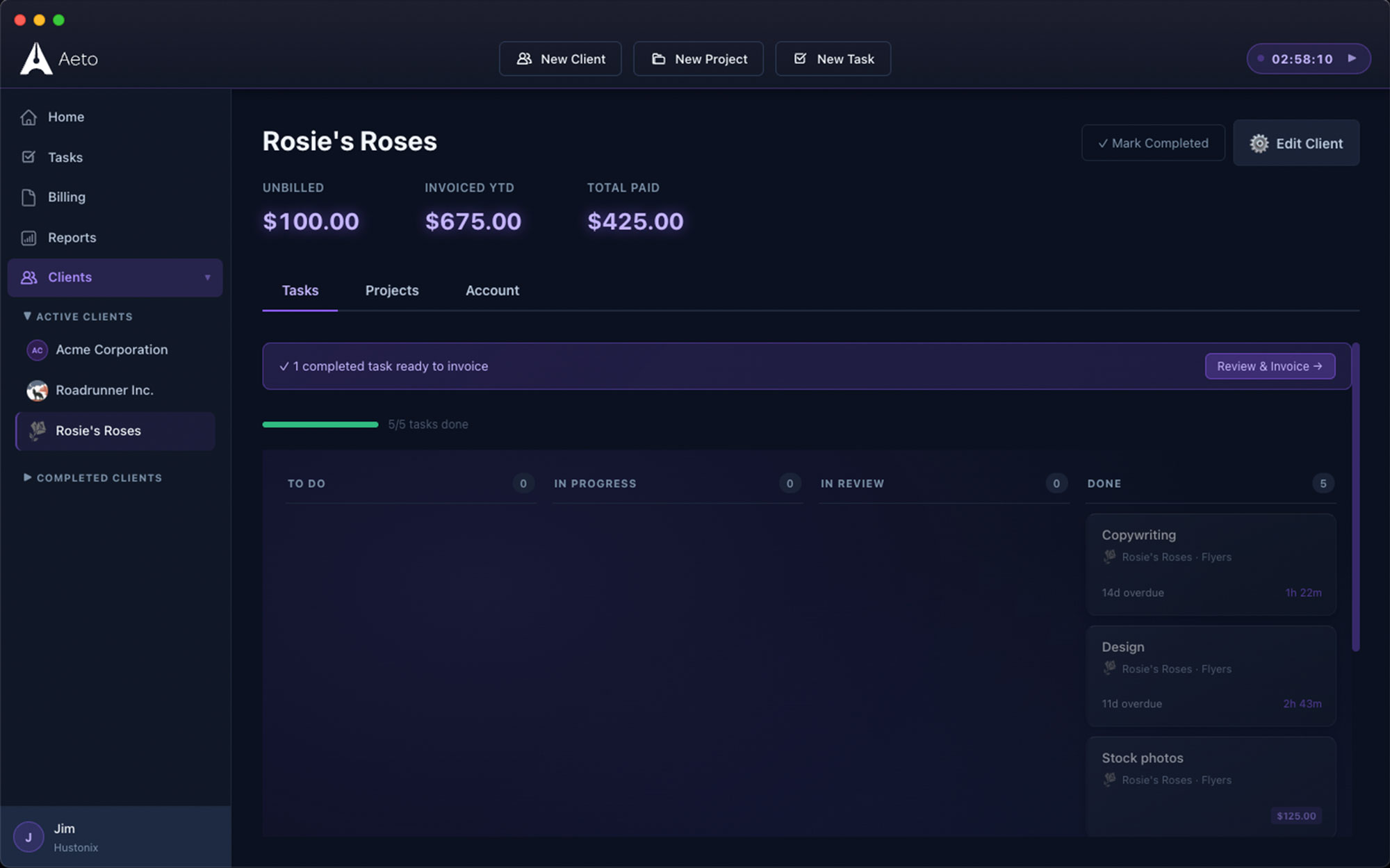
When you're ready to invoice an hourly project, Aeto can pull your unbilled time entries into an invoice draft.
The client, project, task, hours, and rate are already associated with the work.
Review the invoice, adjust what you need, and send it.
You don't have to reconstruct the project from memory.
Freelance project management questions
Q.01Can I manage multiple projects for the same client?
Yes. A single client can have multiple projects. Each project has its own tasks, billing setup, and time records.
Q.02Can I see tasks from different clients on one Kanban board?
Yes. Aeto's Kanban board displays tasks across your projects and clients, making it easier to see everything you're working on.
Q.03Can I track time on a fixed-fee project?
Yes. Aeto tracks the hours spent on fixed-fee projects so you can understand how much work goes into each engagement.
Q.04How does Aeto calculate my effective hourly rate?
Aeto divides your fixed project fee by the number of hours you've tracked. As additional hours are recorded, the effective rate updates to reflect the time invested.
Q.05Can I see task deadlines and payment due dates together?
Yes. The calendar displays both. You can also identify overdue payments that need attention.
The work is complicated enough. Managing it shouldn't be.
Keep your clients, projects, tasks, and time connected so you can focus on delivering the work instead of keeping track of it.
30 days free. No credit card required.