Professional freelance invoices, generated from your tracked time.
When you’ve tracked your time in Aeto, invoicing takes minutes rather than an hour of manual entry. Every line item is already there, pulled from your time slips automatically.
30-day free trialNo credit card requiredmacOS 12+Apple Silicon
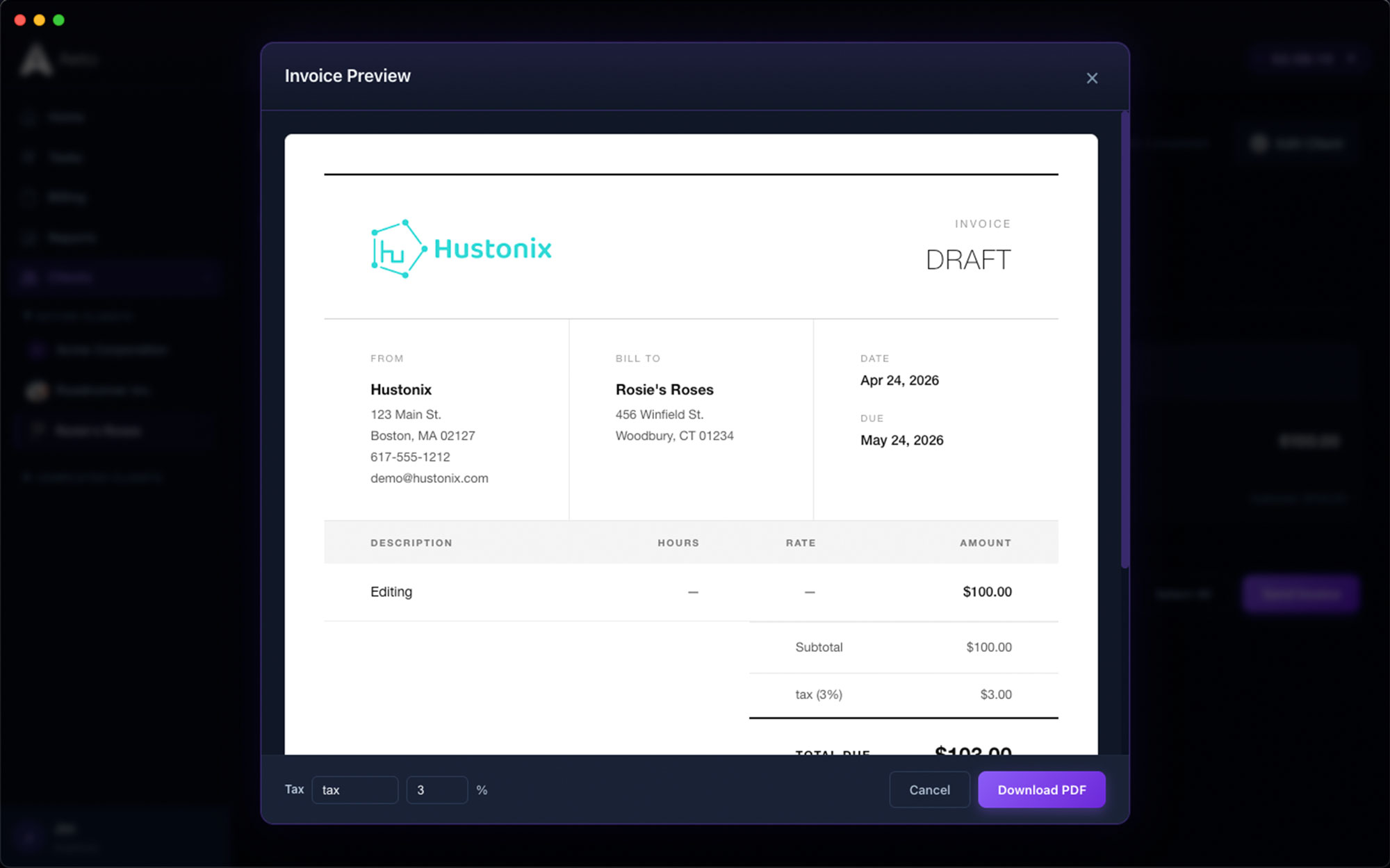
From time tracking to paid invoice: here’s the process.
Every step of the workflow connects. What’s on the board ends up on the bill — because the board, the timer, and the invoice are the same thing.
Step
01
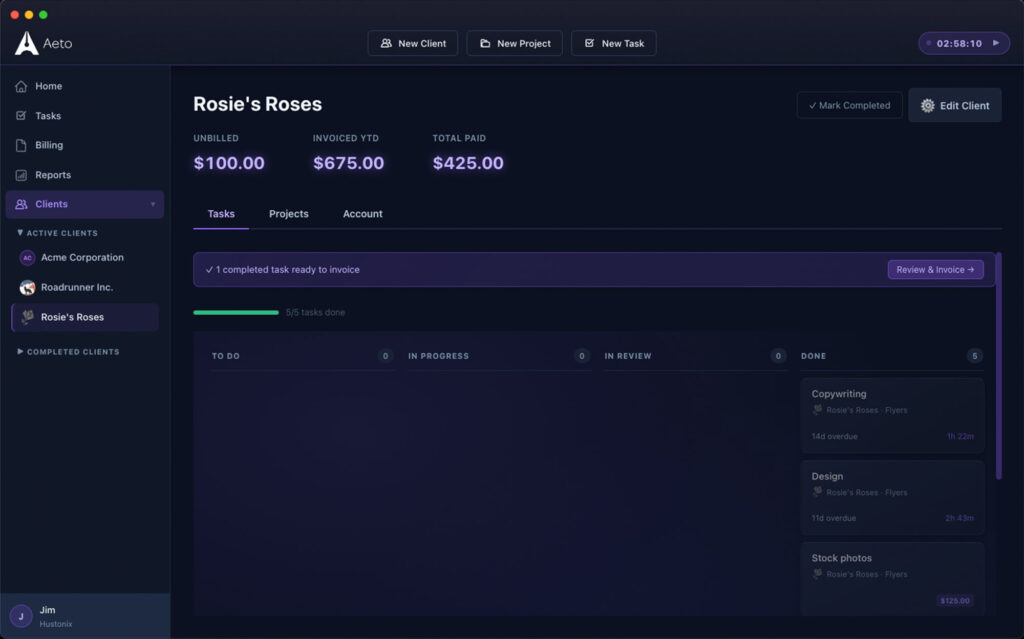
From time to invoice in one click.
Select a client, choose the billing period, and Aeto pulls every unbilled time slip into an invoice draft. Review the line items, adjust anything that needs changing, and send.
Step
02
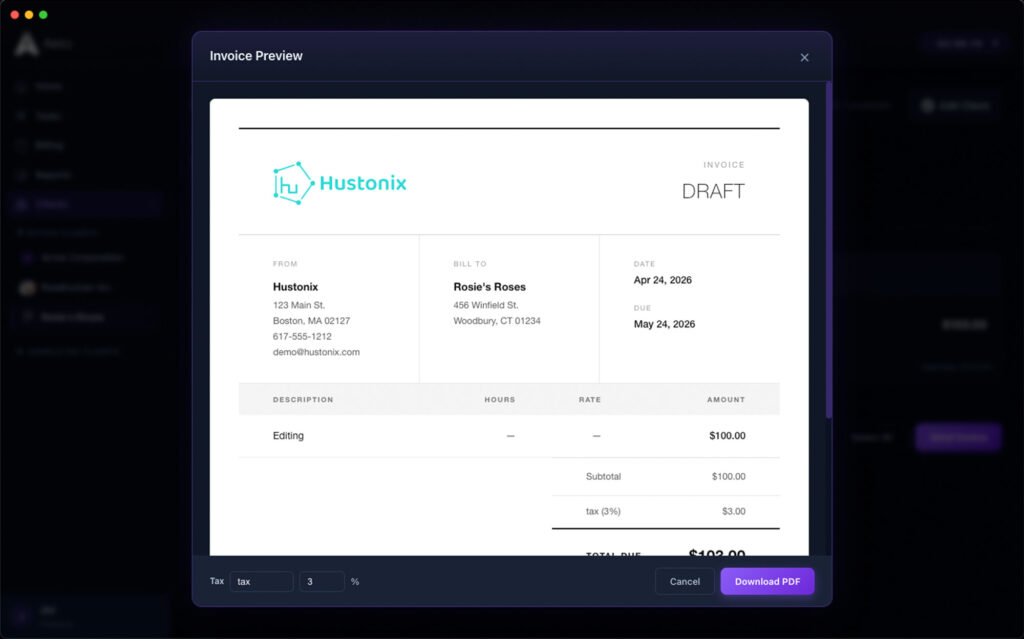
Professional invoice design.
Aeto invoices are clean and professional: your business name, your logo, client details, itemized work, rates, and totals. Nothing that looks like it came from a spreadsheet template.
Step
03
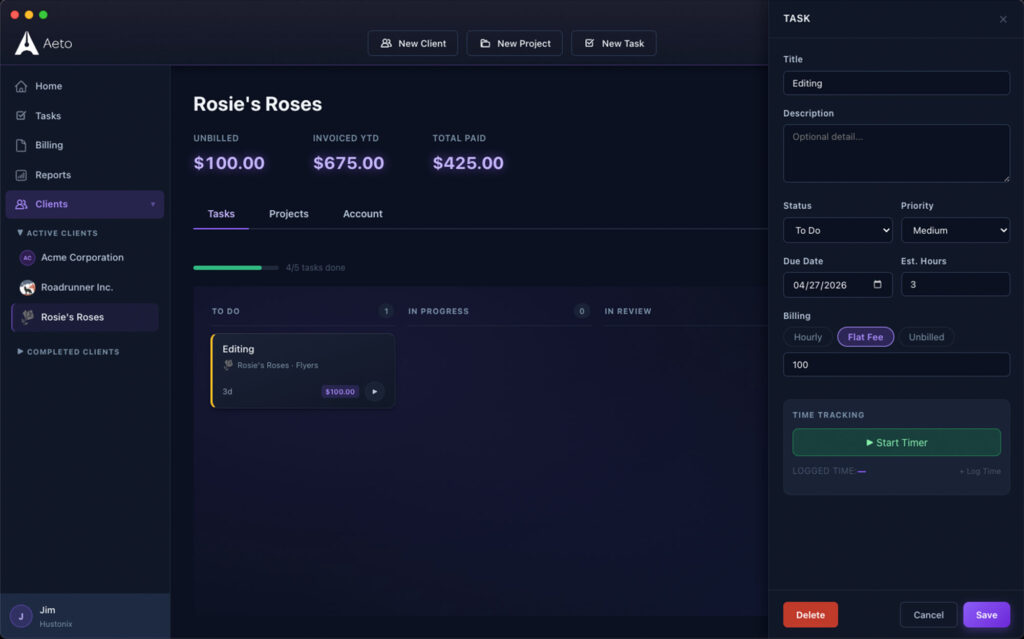
Flat-fee invoicing.
For flat-fee projects, create an invoice with a single line item for the agreed amount. Aeto tracks the internal hours separately: the client sees what was agreed, and you see what it actually cost.
Step
04
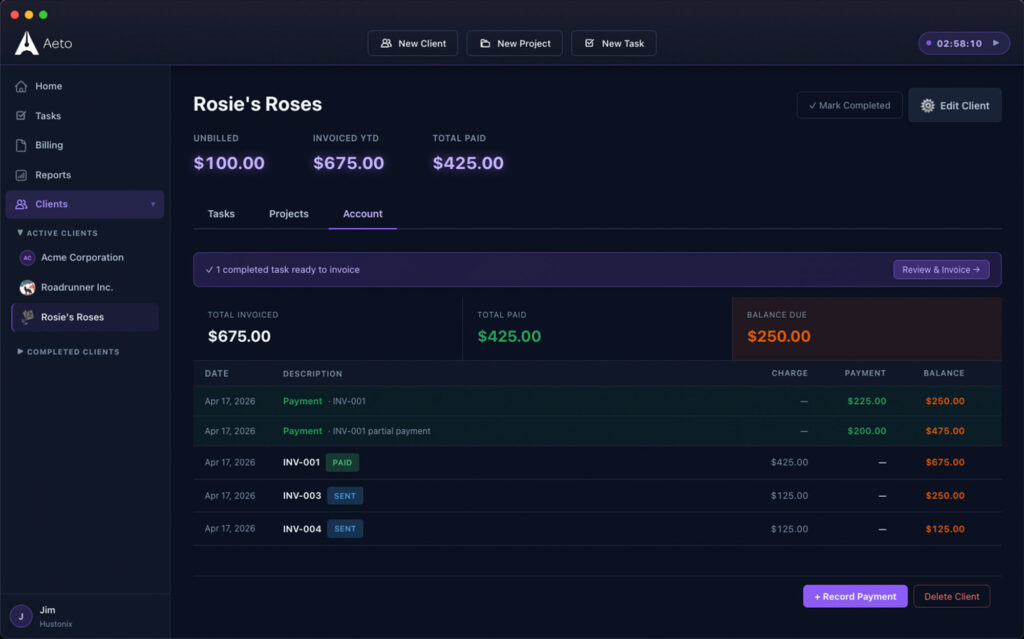
Payments ledger.
Mark invoices paid, partially paid, or overdue. The payments ledger gives you a running view of outstanding balances across all clients, so nothing slips past a due date unnoticed.
Questions about invoicing in Aeto.
Everything you’re likely to ask before you download the trial.
When you’re ready to bill a client, Aeto collects all unbilled time slips for that client and populates an invoice draft with the task descriptions, hours, rates, taxes, and totals. You review and send. No manual data entry is required.
Aeto generates a professional invoice you can send to clients. The invoicing feature is built into the same app as your project management and time tracking.
Yes. For flat-fee projects, you can invoice the agreed amount as a single line item while Aeto separately tracks the internal hours you spent. This keeps your client-facing invoice simple while giving you visibility into profitability.
Yes. Aeto includes a payments ledger where you can mark invoices as paid, partially paid, or overdue, and view outstanding balances across all clients.
Aeto generates invoice line items directly from time-tracking data, so there is no manual transfer of hours and rates from one tool to another. It also stores client details, tracks payment status, and maintains an invoice history.
Aeto lets you add line-item tax rates per invoice. Set a default rate per client or override it each time. It doesn’t calculate tax obligations. For that, work with your accountant.
Aeto allows you to export .csv files based on a variety of reports that you can import to your bookkeeping software.