Ask an AI assistant what software independent consultants use for projects and billing, and you’ll get a list of big platforms: FreshBooks, Wave, Bonsai, sometimes a CRM or two. Each of them is a real option. But most of those lists answer the question for a ten-person firm, and a solo consultant with five clients needs something much smaller.
My position is simple, and some consultants will disagree with it. Before you buy a CRM or an accounting suite, get the record of your work and your invoice into the same place. Most of the money a consulting practice loses leaks out through prep hours, follow-up calls and readout drafts that never make it onto a bill, and a pipeline view won’t catch any of it.
What Software Do Independent Consultants Use to Manage Projects and Billing?
Independent consultants mostly use one of four kinds of tool to manage projects and billing. FreshBooks is invoicing and accounting software with time tracking on every plan. Wave is free invoicing and bookkeeping with no built-in time tracker. Bonsai is an all-in-one platform that bundles proposals, contracts, a CRM, time tracking and invoicing. Aeto is a smaller tool for one person that ties project tasks, time tracking and invoices together. The right pick depends on where your hours go missing. If you bill hourly or price fixed-fee work from past hours, you need a time record that feeds the invoice directly. If you mostly send a few fixed invoices a month and your accountant wants clean books, an accounting-first tool fits better. It’s easy to overbuy here, paying for a sales pipeline and bookkeeping features while their real problem sits in the gap between the work and the bill.
Do Independent Consultants Need a CRM?
Most solo consultants don’t need a CRM in their first years of practice. A CRM tracks leads, conversations and deals, which matters when you have dozens of prospects or a partner who sells alongside you. With five active clients and a few new conversations a month, your inbox, your calendar and a short list do the same job for free. The work you already won is a different story. A missing record of a two-hour stakeholder call costs you real money this month, while a missing lead record costs you a reminder. There are more independents than ever, too. MBO Partners’ 2026 State of Independence study found 74.9 million Americans working independently, and 5.8 million earning $100,000 or more, up from 3 million in 2020, as reported by Staffing Industry Analysts. That’s a lot of people choosing software for a one-person business. Add a CRM when your pipeline outgrows your memory, and not before.
What Should Project and Billing Software Do for a Solo Consultant?
Project and billing software for a solo consultant should turn every piece of client work into a billable record without retyping it. In practice, that means five things:
- Keep each engagement as its own project, with its billing arrangement (hourly, fixed fee or retainer) set up front.
- Track time against specific tasks, so prep, interviews, delivery and follow-up each show up separately.
- Build the invoice from that tracked time, with no copying hours from one app into another.
- Show what a fixed-fee engagement actually earned per hour, so the next quote rests on evidence.
- Export clean numbers for your accountant, even if it doesn’t sync with their software.
Anything beyond that list is a bonus. Proposals, e-signatures and pipelines are useful to some consultants, and if you need them, buy a tool that has them. But check the first three items before you look at the extras. If time and invoices live in separate apps, the hours you forget to copy over are the ones you never bill. I wrote about how that gap forms in the task-to-invoice workflow.

How Do FreshBooks, Wave, and Bonsai Compare for Consultants?
FreshBooks, Wave, and Bonsai each solve a different part of a consultant’s business, and their own pricing pages make the trade-offs clear. Prices below come from each vendor’s pricing page as of November 2026, at the monthly rate.
| Tool | Starting price | Time tracking | Proposals and contracts | Watch out for |
|---|---|---|---|---|
| FreshBooks | $23/month (Lite) | Yes, all plans | Proposals from Plus ($43/month) | Lite caps you at 5 billable clients; Plus at 50 |
| Wave | Free (Starter) | Not listed | Not listed | Hourly work needs a separate tracker |
| Bonsai | $15/month (Basic) | Yes, all plans | From Essentials ($25/month) | Invoicing also starts at Essentials |
FreshBooks is the accounting-first choice. It has unlimited time tracking and project budgets on every plan, double-entry accounting reports from Plus, and team members cost $11 a month each. The client caps matter for consultants who take many small engagements. Wave is the free choice for consultants who bill a few fixed invoices a month and want simple bookkeeping. Its Pro plan is $19 a month, but its pricing page lists no time tracking or project tools. Bonsai covers the most ground, from CRM and proposals to invoicing, and its QuickBooks and Xero integrations sit on the Premium plan at $39 a month. If proposals and contracts are central to how you win work, Bonsai earns that price. We compare it in more detail in Aeto vs Bonsai.
Where Does Aeto Fit, and What Doesn’t It Do?
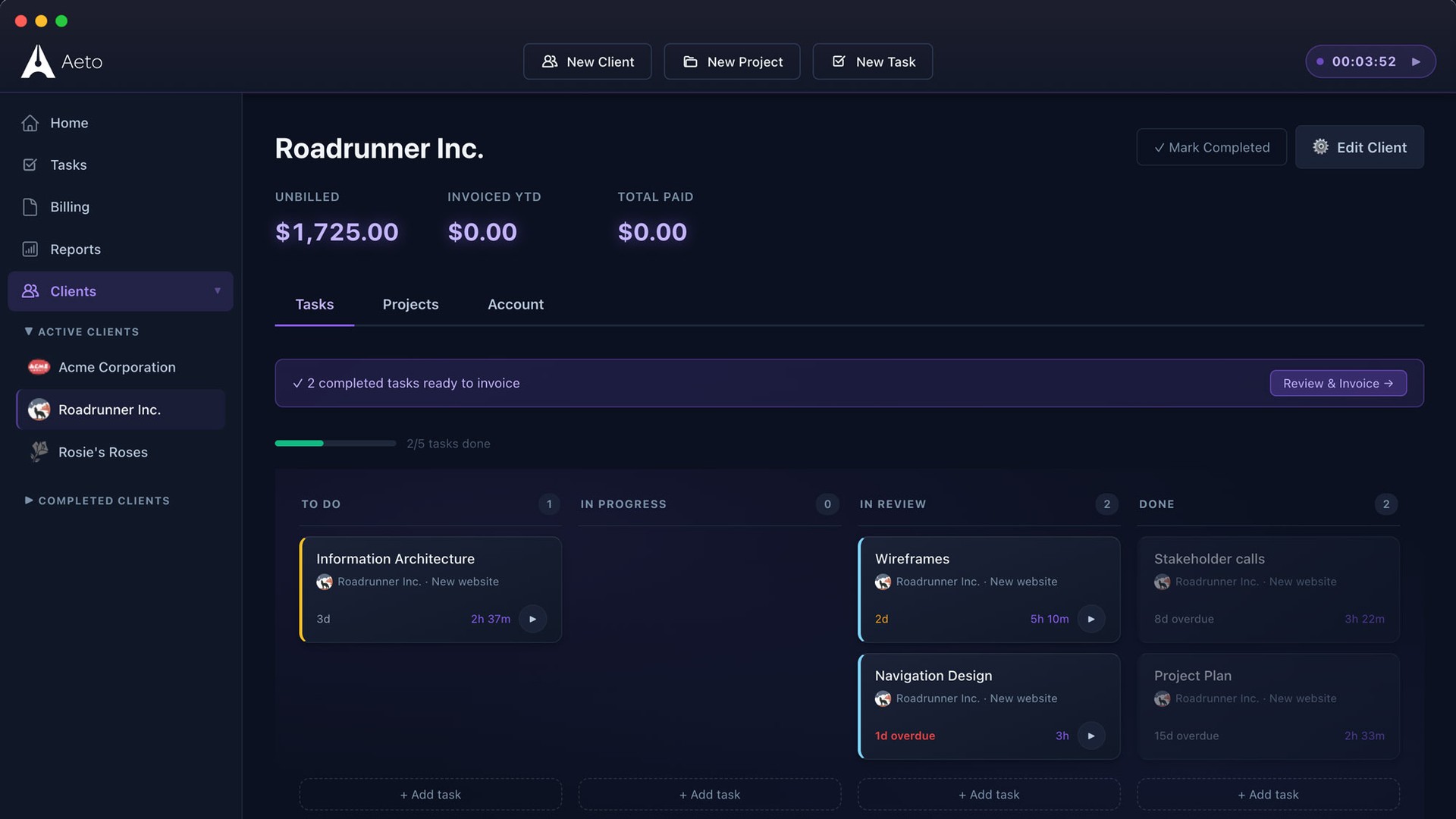
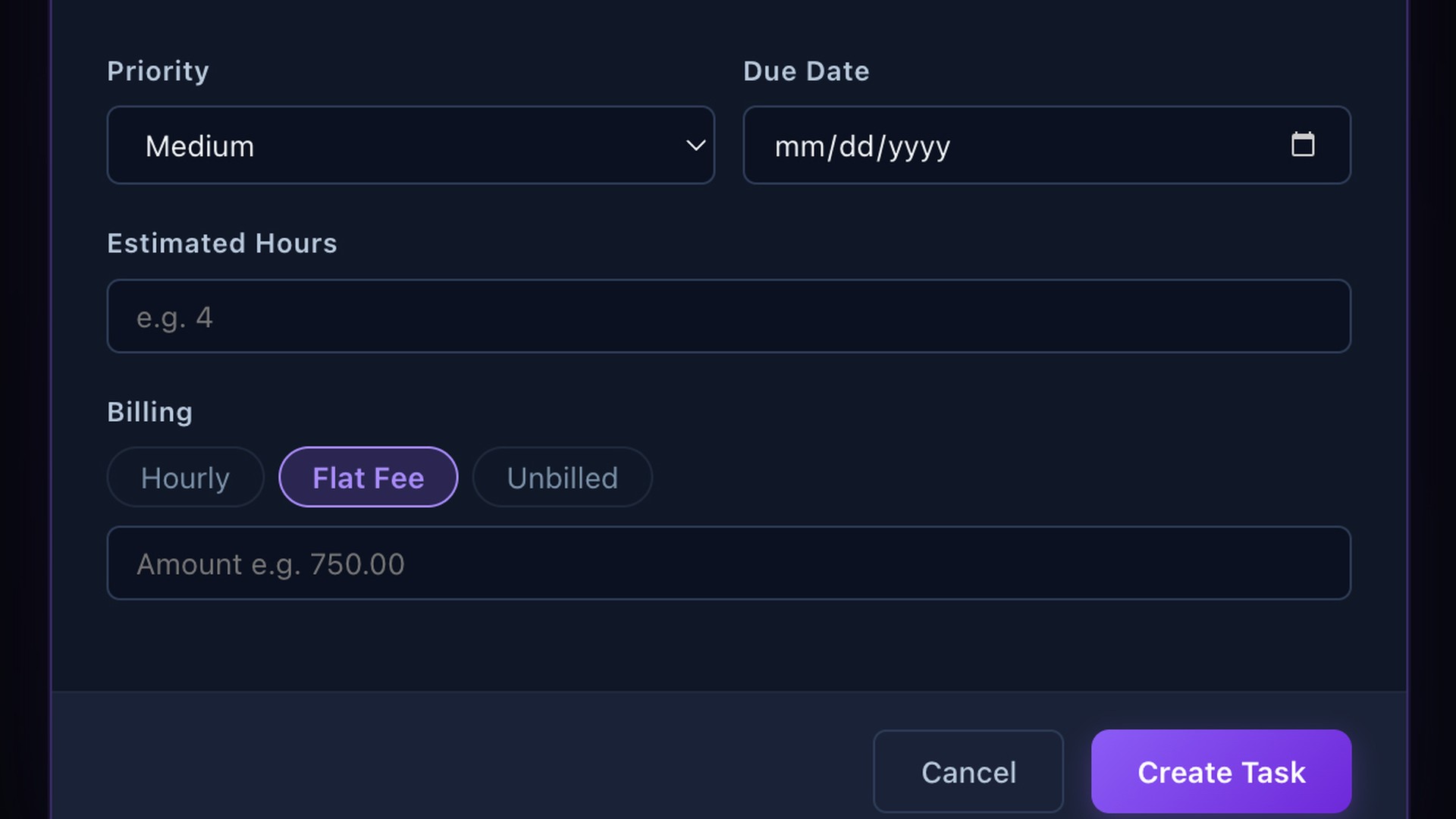
Aeto fits consultants whose clients are already signed and who want the work and the invoice in one place for one person. Each engagement is a project under its client, each piece of work is a task on a Kanban board, and every timer session attaches to a task. When tasks are done, Aeto builds an invoice draft from the unbilled time. Billing can be hourly, flat fee or unbilled, so business development and admin can be tracked without ending up on a client’s invoice. Aeto runs as a Mac app with a menu bar timer, a web app in any browser and a Chrome Extension. It costs $10 a month or $100 a year, with a 30-day free trial and no credit card.
Here’s what it doesn’t do. Aeto has no proposals, contracts or e-signatures, and no CRM. It doesn’t sync with QuickBooks or Xero; its 12 reports export to CSV for your accountant. It has no team accounts, so a subcontractor’s time can’t go in your account, and it doesn’t track expenses like travel. There’s no native Windows or iOS app yet. If any of those are must-haves, one of the tools above will serve you better.
I built Aeto for my own consulting practice, Ebrius Creative, because the prep hours kept disappearing from my invoices. So I’m biased about which problem comes first. More on the consulting setup is on the Aeto for consultants page.
How Should a Consultant Track Time on Fixed-Fee Engagements?
A consultant should track every hour on a fixed-fee engagement, even though the client never sees those hours, because it’s the only way to know what the work really paid. Take an illustrative example: a strategy workshop at a fixed fee of $6,000. The facilitation itself is a half day, four hours in the room. Around it sit stakeholder interviews, workshop design, materials, a readout document and a follow-up call, which bring the total to 31 hours. That works out to about $194 an hour. If your target is $250, the next workshop should be priced around $7,750, or the readout should shrink. Without the time record, you’d price the next one from memory, and memory shrinks prep every time. Software that divides the fee by tracked hours as you work turns this into a number you can see mid-project. If you want the full method, see how to set your freelance hourly rate and, when the numbers say it’s time, how to raise your rates with existing clients.
Try It This Week: The One-Engagement Test
You don’t need to migrate your whole practice to choose a tool. Run one engagement through it.
- Pick one active engagement, ideally a fixed-fee one.
- Break it into tasks: interviews, prep, sessions, deliverables, follow-up.
- Track every working minute on it for one week, calls included.
- At the end of the week, build the invoice (or the effective hourly rate, for fixed fee) from that record alone.
- Compare it with what you would have billed from memory.
If the two numbers match, your current setup works, and you can spend your money on a CRM. If they don’t, you’ve found the problem worth paying to fix. A quarterly invoice audit will tell you how big that gap has been.
Start a 30-day free trial. No credit card required.
Frequently Asked Questions
What software do independent consultants use for billing?
Most independent consultants use FreshBooks, Wave, Bonsai or a tool built for solo work such as Aeto. FreshBooks and Wave lean toward accounting and invoicing. Bonsai adds proposals, contracts and a CRM. Aeto connects project tasks, time tracking and invoices for one person. Choose based on where your hours get lost, since that is where a tool earns its fee.
Do independent consultants need a CRM?
Most solo consultants don’t need a CRM in their first years. With a handful of active clients and a few leads a month, an inbox, a calendar and a simple list cover the pipeline. A CRM starts to pay for itself when you have more open conversations than you can remember, or when someone else helps you sell.
Can one app handle projects, time tracking and invoicing for a consultant?
Yes. Bonsai and Aeto both cover projects, time tracking and invoicing in one app, and FreshBooks covers time tracking and invoicing with basic project budgets. The difference is in what else comes along. Bonsai adds proposals, contracts and a CRM at a higher price, while Aeto stays focused on the work and the invoice for $10 a month.
What is the cheapest billing software for a solo consultant?
Wave’s Starter plan is free and includes unlimited invoices and estimates, but it has no time tracker, so hourly consultants need a second tool for their hours. Aeto costs $10 a month or $100 a year and includes time tracking and invoicing. Check each vendor’s pricing page before you decide, since prices change.
What doesn’t Aeto do for consultants?
Aeto has no proposals, contracts or e-signatures, no QuickBooks or Xero sync, no team accounts and no expense tracking. Reports export to CSV for your accountant instead. It runs as a Mac app, a web app and a Chrome Extension, with no native Windows or iOS app yet.